HTML JavaScript CSS
Expert
60 mins
Teacher/Student led
+185 XP

What you need:
Chromebook/Laptop/PC or iPad/Tablet

Interactive Quiz Game

In this lesson, you will create an interactive quiz game that checks answers, provides feedback, and incorporates timers, score trackers, and dynamic question loading.
Teacher Class Feed

Load previous activity

    1 - Set up the project

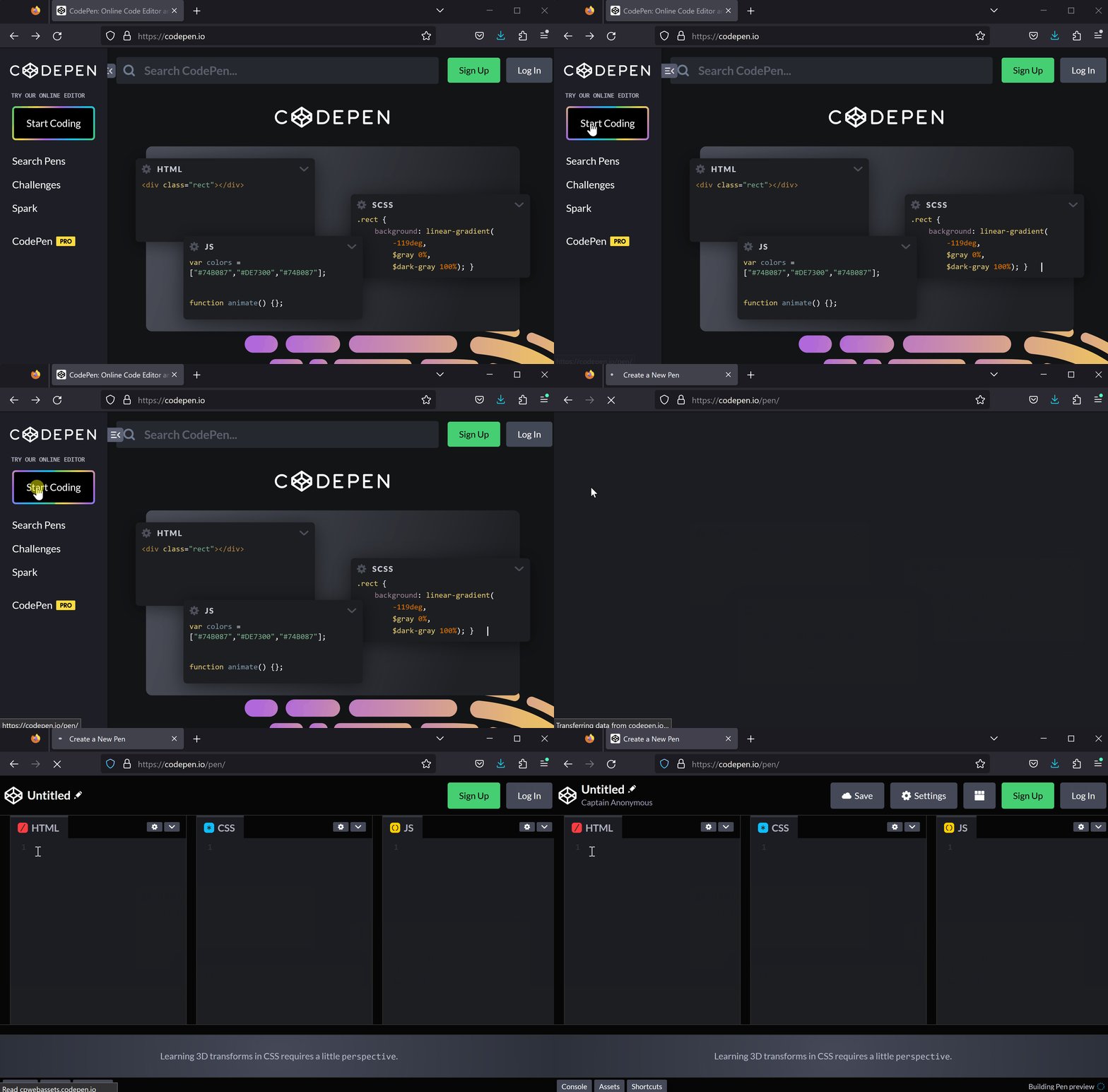
    First, open CodePen by visiting https://codepen.io and create a new project.

    2 - Add HTML structure

    In this step, we will add the HTML structure for our Interactive Quiz Game. Add the following HTML code to the HTML section of your CodePen:

    <h1>Interactive Quiz Game</h1>
    <div id='quiz'></div>
    <div id='result'></div>
    <div id='score'></div>

    Here's a brief explanation of each element:

    • <h1>Interactive Quiz Game</h1>: This is the main heading of our quiz game.
    • <div id='quiz'></div>: This div will contain the questions and answer options for our quiz.
    • <div id='result'></div>: This div will display the result of the user's answer, whether it's correct or incorrect.
    • <div id='score'></div>: This div will show the user's score when they complete the quiz.

    3 - Add CSS styling

    Now let's add some styling to our HTML elements to make them look better.

    Add the following CSS code to the CSS section of your CodePen:

    body {
      font-family: Arial, sans-serif;
      background-color: #f0f0f0;
      padding: 20px;
    }
    
    h1 {
      text-align: center;
    }
    
    #quiz {
      background-color: #fff;
      padding: 20px;
      border-radius: 5px;
    }
    
    #next {
      display: block;
      margin: 20px auto;
      background-color: #007bff;
      border: none;
      color: #fff;
      padding: 10px 20px;
      border-radius: 5px;
      cursor: pointer;
    }
    
    #next:hover {
      background-color: #0056b3;
    }
    
    #results {
      text-align: center;
      font-size: 24px;
      font-weight: bold;
    }

    4 - Add the jQuery Library

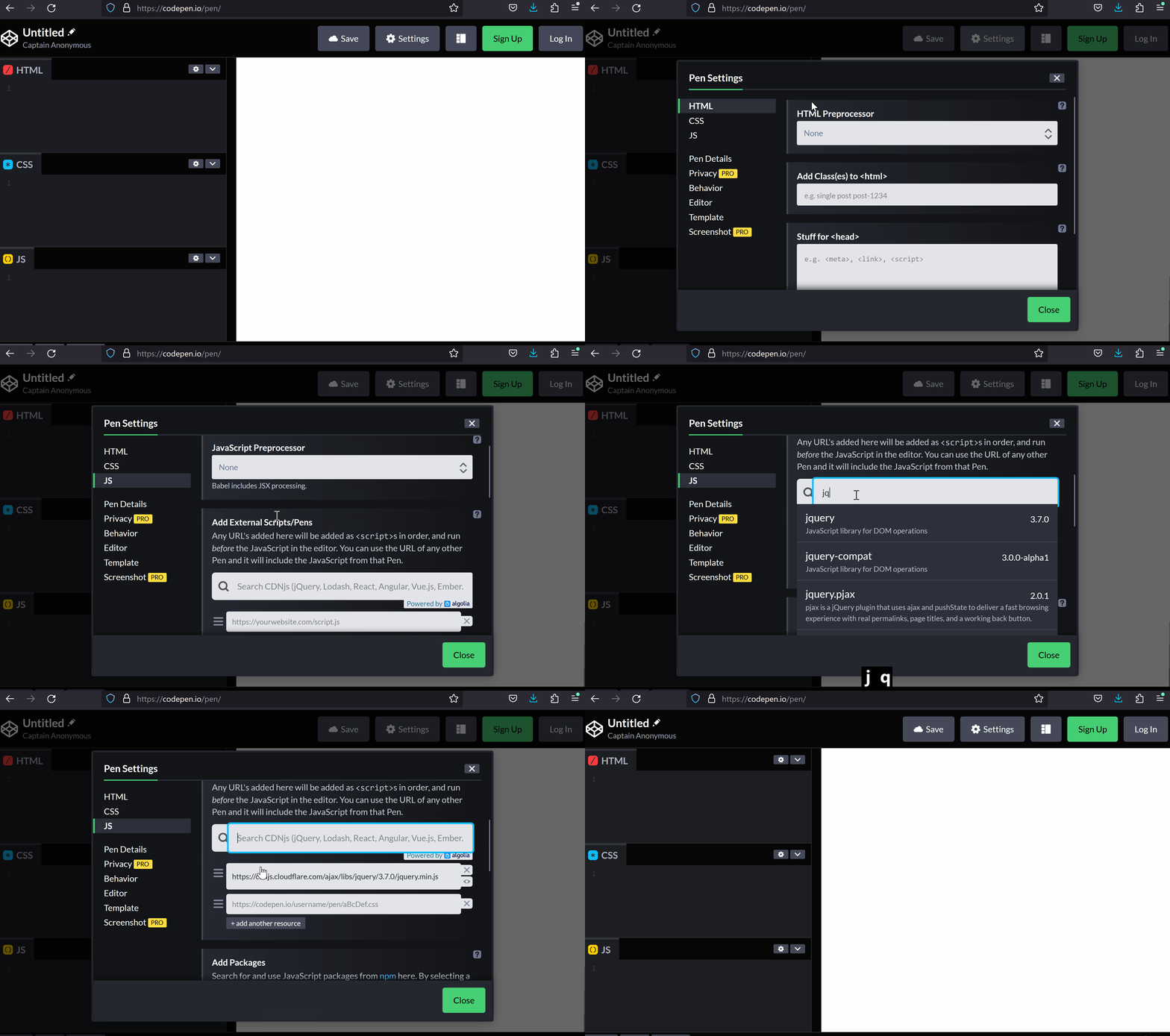
    Now, add the jQuery library to your project so you can use its features in your JavaScript code.

    123learn · Online learning platform

    Unlock the full learning experience

    You're previewing this lesson. Get full access to this lesson and hundreds more — each one ready to teach, with interactive activities, printable resources and pupil progress tracking built in.

    Hundreds of curriculum-aligned lessons
    Interactive activities in every lesson
    Printable resources & progress tracking
    Copyright Notice
    This lesson is copyright of Coding Ireland 2017 - 2026. Unauthorised use, copying or distribution is not allowed.
    🍪 Our website uses cookies to make your browsing experience better. By using our website you agree to our use of cookies. Learn more