Teacher Training
Beginner
10 mins
Teacher/Student led
+70 XP
What you need:
Chromebook/Laptop/PC

Engaging Coding Projects

Discover real-life examples of engaging coding projects that can be taught in schools.

Teacher Class Feed

Load previous activity

    1 - Introduction

    To conclude this module and give you an idea of the type of projects you could do with your class, let's take a quick look at some engaging coding projects.

    All of these are from the Coding Ireland Curriculum.

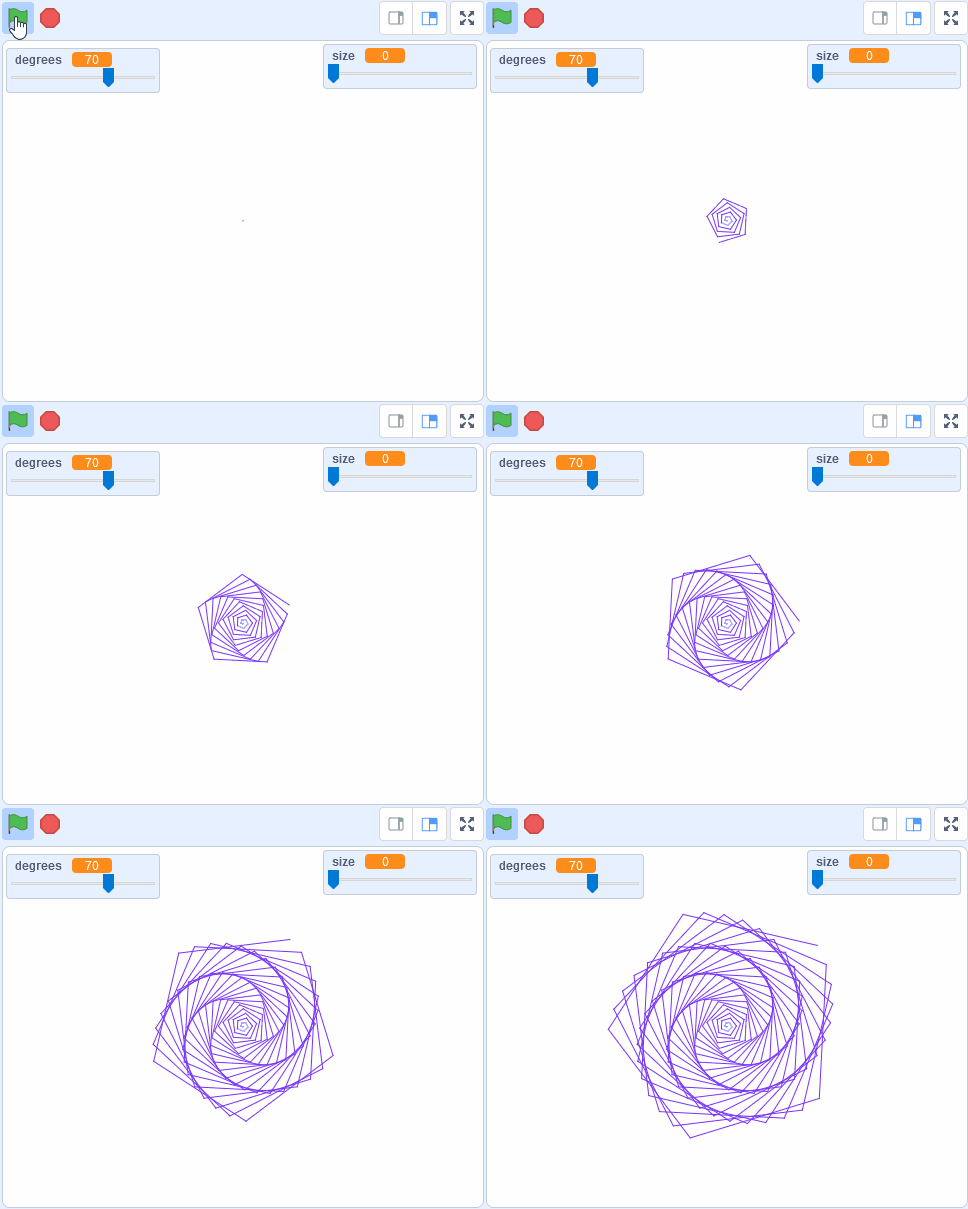
    2 - Pattern Creator

    Get creative and make amazing pattern art with code. Students experiment with different degrees and pen sizes to create their own unique patterns.

    Learning Outcomes

    • Students will be able to add the Pen Extension to their project and use it to draw a circle.
    • Students will be able to create and use variables to add variability to their patterns.
    • Students will be able to use the degrees variable to change the shape of their pattern.
    • Students will be able to add color to their pattern and change the pen size to alter the appearance of their pattern.
    • Students will be able to experiment with different degrees and pen sizes to create unique patterns.

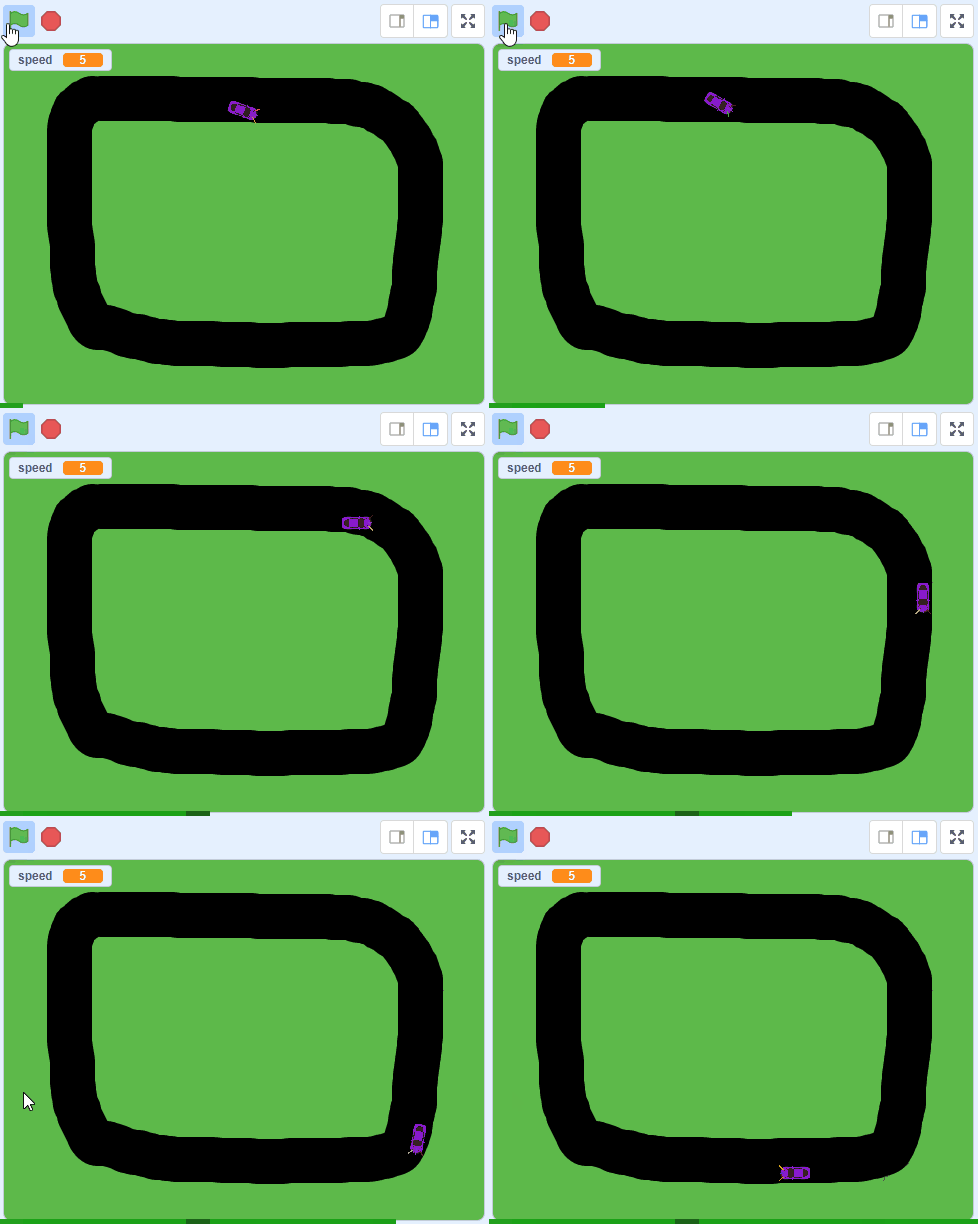
    3 - Autonomous Car

    In this lesson we will program a car to drive around a test track with no one driving it except a computer program!

    Learning Outcomes

    • By the end of the lesson, students will be able to explain how an autonomous car works, including the role of sensors and control systems.
    • Students will demonstrate their ability to manipulate sprites in Scratch, including resizing and positioning, by adding and adjusting a car sprite.
    • Students will be able to create and manipulate variables in Scratch, as demonstrated by creating a 'speed' variable to control the car's movement.
    • Students will demonstrate their understanding of conditionals in Scratch by programming the car to move and turn based on the color it is touching.
    • Students will demonstrate their ability to improve and adapt a project in Scratch by adding new features or challenges to the autonomous car project.

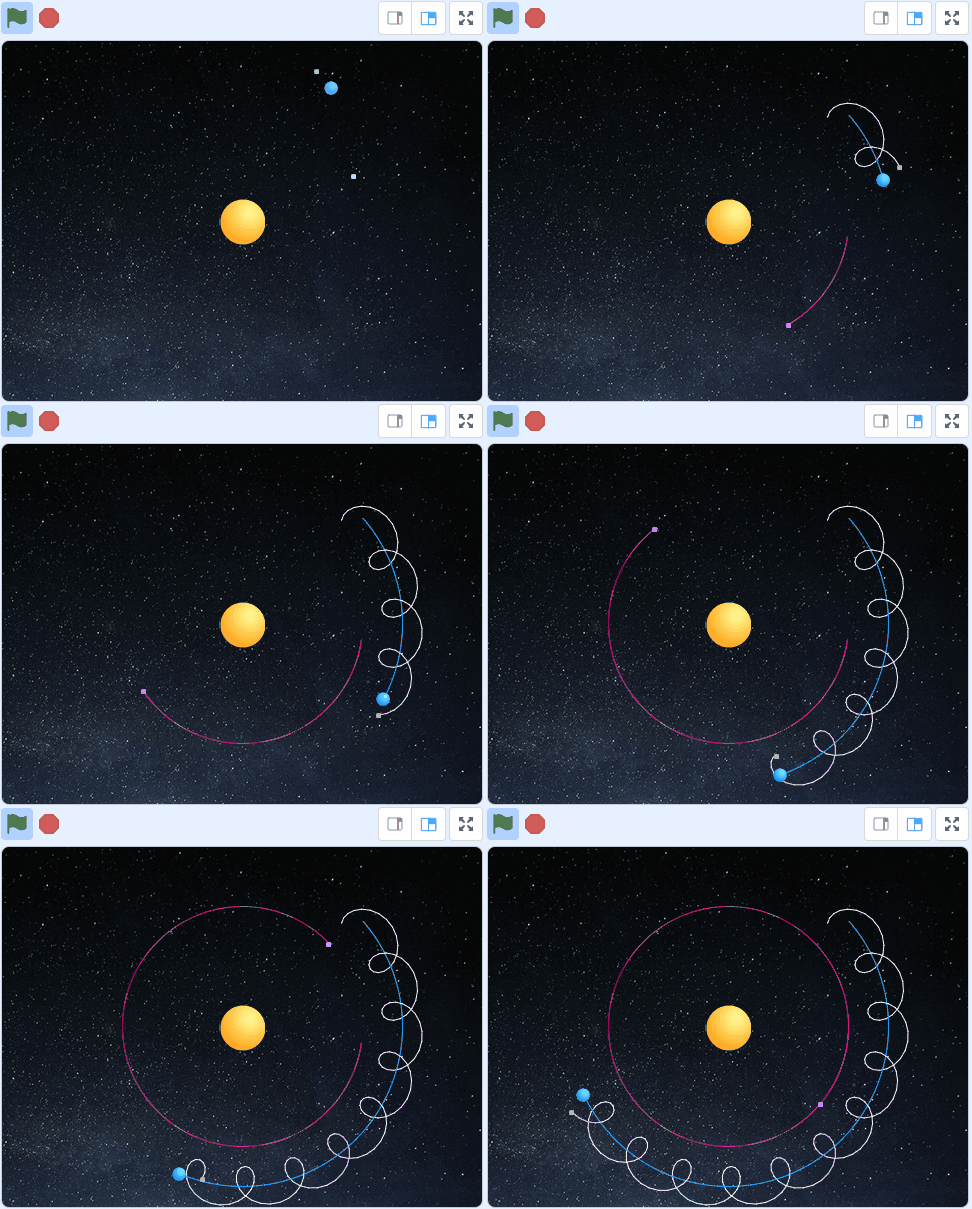
    4 - Earth and Moon Orbits

    In this project students program the earth to orbit around the sun and the moon to orbit around the earth. They trace their paths to visualise their orbits.

    Learning Outcomes

    • Students will be able to use mathematical formulas to manipulate the x and y coordinates of sprites, simulating the orbits of the Earth and Moon.
    • Students will be able to use the Scratch programming language to control the movement and appearance of sprites.
    • Students will be able to use the Pen extension in Scratch to trace the paths of the Earth and Moon orbits.
    • Students will be able to apply their knowledge to add an additional planet to the project, demonstrating an understanding of the concepts taught in the lesson.
    • Students will be able to explain the concept of orbits and how the Earth and Moon move in relation to the Sun.

    123learn · Online learning platform

    Unlock the full learning experience

    You're previewing this lesson. Get full access to this lesson and hundreds more — each one ready to teach, with interactive activities, printable resources and pupil progress tracking built in.
    Hundreds of curriculum-aligned lessons
    Interactive activities in every lesson
    Printable resources & progress tracking
    Copyright Notice
    This lesson is copyright of Coding Ireland 2017 - 2026. Unauthorised use, copying or distribution is not allowed.
    🍪 Our website uses cookies to make your browsing experience better. By using our website you agree to our use of cookies. Learn more