Primary Year 5 Digital Skills

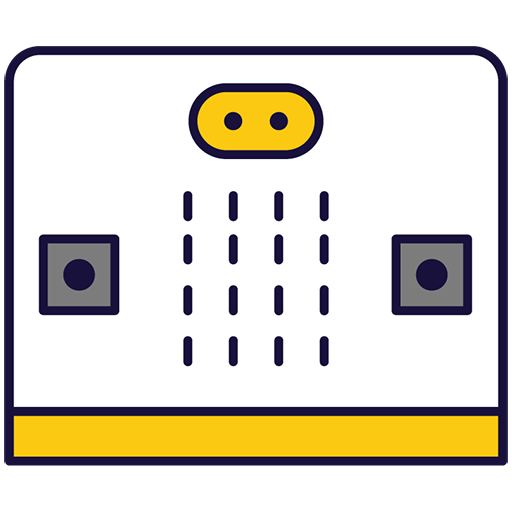
Microbit Adventures

Exploring creative projects with microbit technology

The whole first lesson, as your class sees it. No sign-in needed.

What your school gets

Everything a teacher needs to teach Microbit Adventures this year.

In class

On paper

  • Teacher Resource BookThe whole course laid out for the teacher, lesson by lesson, ready to print.
    The sample lesson's pages

The whole books come with the course, in each class's Resources.

The course, module by module

8 lessons in 1 module. The lesson marked Sample opens in full.

1 Lessons 8 lessons · about 7 hours

This module introduces students to the versatile world of programmable microcomputers through hands-on projects. Learners will explore coding fundamentals, create interactive applications, and experiment with sensors and circuits. From building games to designing practical tools, the lessons foster creativity, problem-solving, and technical skills in an engaging, practical environment.

  1. 1 Meet the Microbit Sample lesson Quiz
  2. 2 Microbit Light Clapper Quiz
  3. 3 Microbit Step Counter Quiz
  4. 4 Sound level Quiz
  5. 5 Microbit Fruit and Veg Piano Quiz
  6. 6 Microbit Compass and Thermometer Quiz
  7. 7 Microbit Hot Potatoe Quiz
  8. 8 Microbit Lab

What pupils learn

This module introduces students to the world of microbits, pocket-sized programmable computers. Teachers will guide students through creating projects, writing code, and using various features of the microbit. The module is hands-on, encouraging students to experiment and learn through doing. Teachers should ensure students handle the microbits carefully, particularly when using them as pedometers. The module culminates in a group project, fostering creativity and teamwork.

By the end of the course, pupils can

  1. Program a microbit to display messages, react to button presses, and show a happy face.
  2. Utilise the microphone in a microbit to detect clapping and turn on lights.
  3. Convert a microbit into a pedometer to count and display steps.
  4. Transform a microbit into a sound level detector using its built-in microphone.
  5. Conduct electricity through the body and fruits to make a microbit play music.
  6. Program a microbit to function as a compass and thermometer using its built-in sensors.
  7. Create a 'Hot Potato' game using a microbit and its countdown feature.
  8. Brainstorm, design, and execute a simple microbit project in a team, demonstrating creativity and teamwork.

What you'll need

Used in some of the lessons. Students can share in groups of two or three.

Chromebook/Laptop/PC Crocodile clips Microbit Some fruit & vegetables

Ready to bring Microbit Adventures to your school?

Get in touch to discuss pricing and ordering for your school.

Back to Year 5 courses
Ready to get started?
Pricing & Ordering Contact Us
🍪 Our website uses cookies to make your browsing experience better. By using our website you agree to our use of cookies. Learn more