Minecraft
Advanced
30 mins
Teacher/Student led
+115 XP

What you need:
Chromebook/Laptop/PC
Minecraft Education Edition

Zombie Pigs

Did you know pigs turn into zombie's in Minecraft when they're struck by lightning? Let's code it!
Teacher Class Feed

Load previous activity

    1 - Open Minecraft

    In this project we are going to learn what a Minecraft mob is and how you can interact with them in Minecraft.

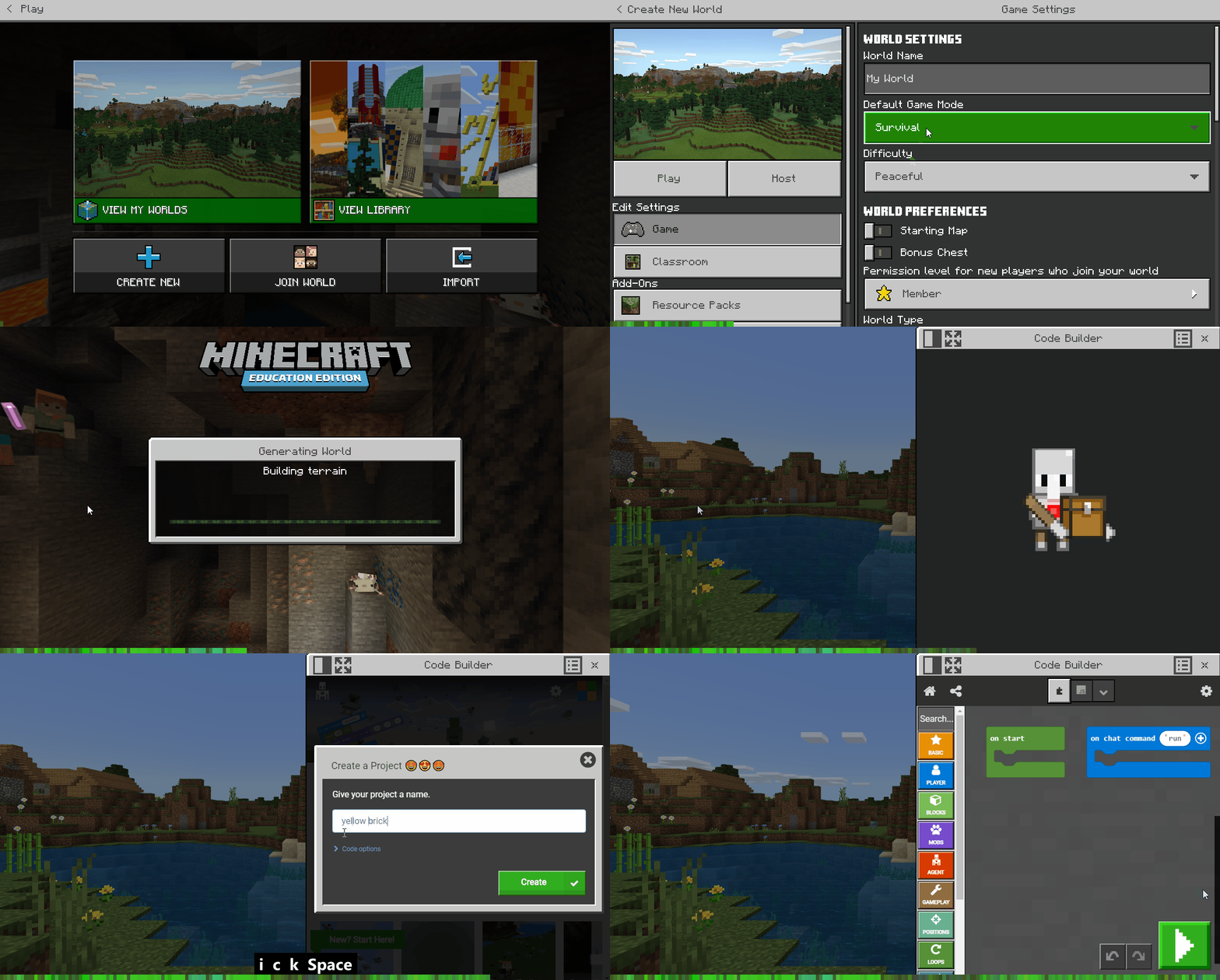
    First, open Minecraft Education Edition, login, create a new world and open the Code Builder.

    2 - What is a mob?

    Mobs are beings, or entities, in a Minecraft world. They are the players, the monsters, the villagers, etc. Mobs can be spawned, killed, teleported, enchanted, and given items.

    Types
    A mob type is identified by a unique number. There are various types of mobs like animal or monster and you can use these to help you craft the mob you want.

    Selectors
    Selectors allow you to describe and select a group of mobs at once. For example, you can decide to select all players or select all chickens. Selection can be made by mob type, distance and other criteria. 


    3 - Create an event

    Did you know that pigs turn into zombie pigmen when they're struck by lightning in Minecraft? 

    Let's create an event to trigger some code to run. Create an event for when your player swings an Iron Pickaxe.

    player.onItemInteracted(IRON_PICKAXE, function () {
    	
    })

    4 - Spawn a pig mob

    Now put a spawn block into the event block, like below, to spawn a pig 7 blocks away from your player.

    player.onItemInteracted(IRON_PICKAXE, function () {
        mobs.spawn(PIG, pos(7, 0, 0))
    })

    Once you've added the new code, go back to the game and add the Iron Pickaxe to your equipment (press E on your keyboard and search for 'Iron Pickaxe'). Then swing the pickaxe by clicking the right mouse button. A pig should be spawned each time you swing it.


    123learn · Online learning platform

    Unlock the full learning experience

    You're previewing this lesson. Get full access to this lesson and hundreds more — each one ready to teach, with interactive activities, printable resources and pupil progress tracking built in.

    Hundreds of curriculum-aligned lessons
    Interactive activities in every lesson
    Printable resources & progress tracking
    Copyright Notice
    This lesson is copyright of Coding Ireland 2017 - 2026. Unauthorised use, copying or distribution is not allowed.
    🍪 Our website uses cookies to make your browsing experience better. By using our website you agree to our use of cookies. Learn more