Beginner
60 mins
Teacher/Student led
+95 XP

What you need:
Chromebook/Laptop/PC

Using Data

In this exciting lesson, we'll learn how to use data by creating a fun animal guessing game!

Teacher Class Feed

Load previous activity

    1 - Gather Animal Data

    Hello, you have learn so much already and should be very proud of yourself. For this lesson you will be doing a project called "Animal Cards".

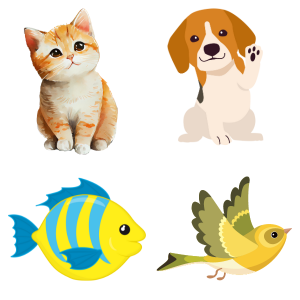
    First, let's gather some data about animals! Think of 4 animals and write down their names, colors, and sizes (small, medium, or large) on a piece of paper.


    2 - Create Animal Cards

    Let's create our animal cards! We will make four cards, one for each animal. Follow these steps for each card:

    1. Take a piece of paper or an index card.
    2. Choose one of the animals: a cat, a dog, a fish, or a bird.
    3. Draw the animal on the paper or index card. Remember to use the correct color for each animal: a yellow cat, a brown dog, a blue fish, and a green bird.
    4. Write the animal's name below the drawing.
    5. Write the size of the animal below its name. Use 'small' for the cat and fish, and 'big' for the dog and bird.

    Repeat these steps for all four animals. Now you have your animal cards ready for the guessing game!


    3 - Prepare the Game

    Now, let's get ready to play the animal guessing game! Follow these steps:

    1. Find a flat surface, like a table or the floor, to set up the game.
    2. Take the animal cards you created earlier and shuffle them well.
    3. Place the shuffled animal cards face down on the flat surface, so you can't see the animal pictures.
    4. Make sure you have enough space around the cards to sit comfortably while playing the game.

    Great job! You have prepared the game. Now, let's move on to the next step and start playing!


    4 - Choose a Card

    Pick one animal card without showing it to anyone else. This will be the secret animal that others will try to guess!

    123learn · Online learning platform

    Unlock the full learning experience

    You're previewing this lesson. Get full access to this lesson and hundreds more — each one ready to teach, with interactive activities, printable resources and pupil progress tracking built in.

    Hundreds of curriculum-aligned lessons
    Interactive activities in every lesson
    Printable resources & progress tracking
    Copyright Notice
    This lesson is copyright of Coding Ireland 2017 - 2026. Unauthorised use, copying or distribution is not allowed.
    🍪 Our website uses cookies to make your browsing experience better. By using our website you agree to our use of cookies. Learn more