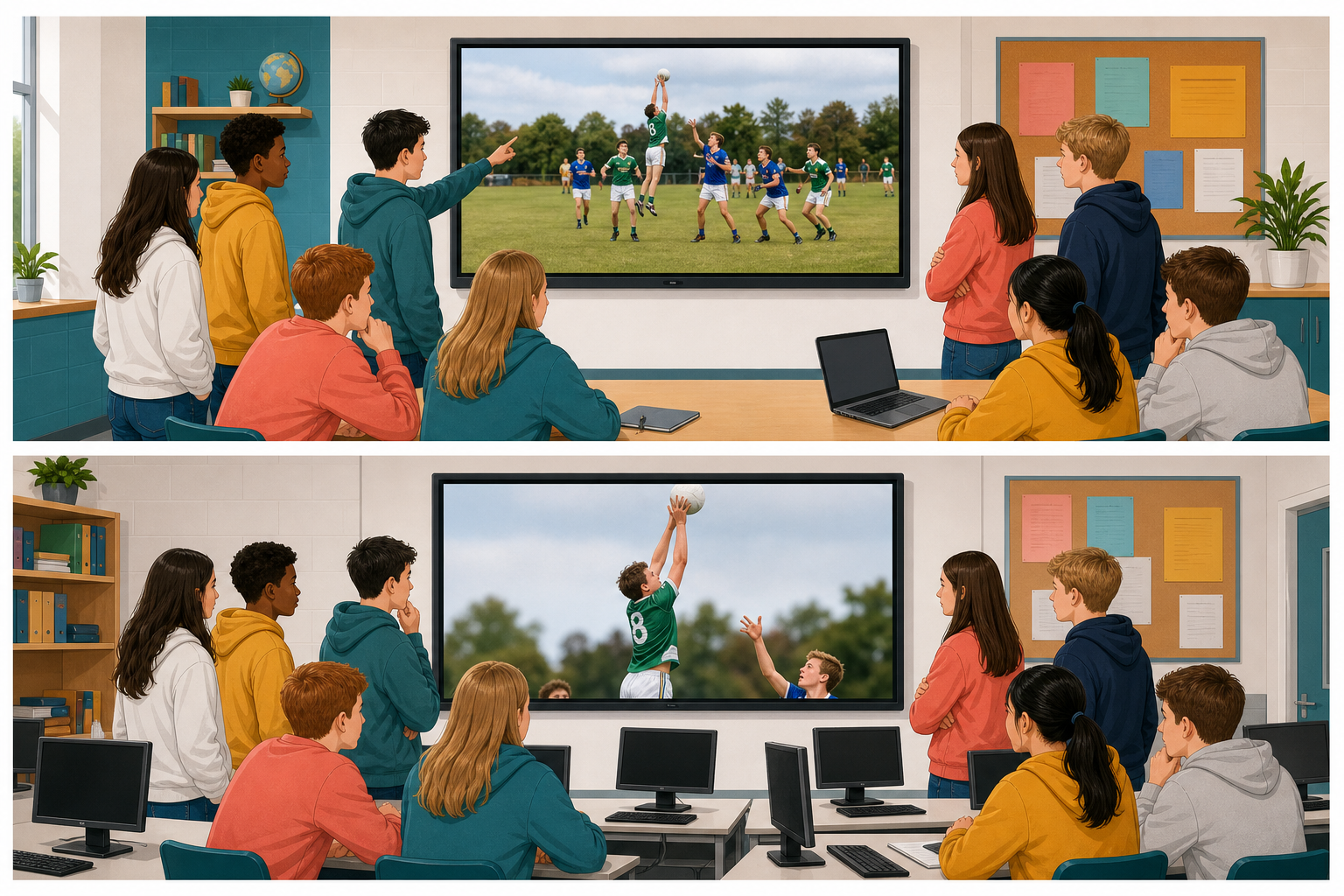
 You already know how digital media can be cropped, filtered, trimmed and layered. Today you will try to spot those edits in other people's work.
When you see a finished photo, clip or soundtrack online, can you tell what was done to it?
| Your call | What it means |
|---|---|
| As taken | No good reason to think the capture was changed. |
| Fair editing | Changed for clarity, length, framing, quality or privacy, without inventing a false story. |
| Altered to mislead | Changed so people believe something untrue. |
You will use tells, which are clues you can see or hear, instead of guessing.
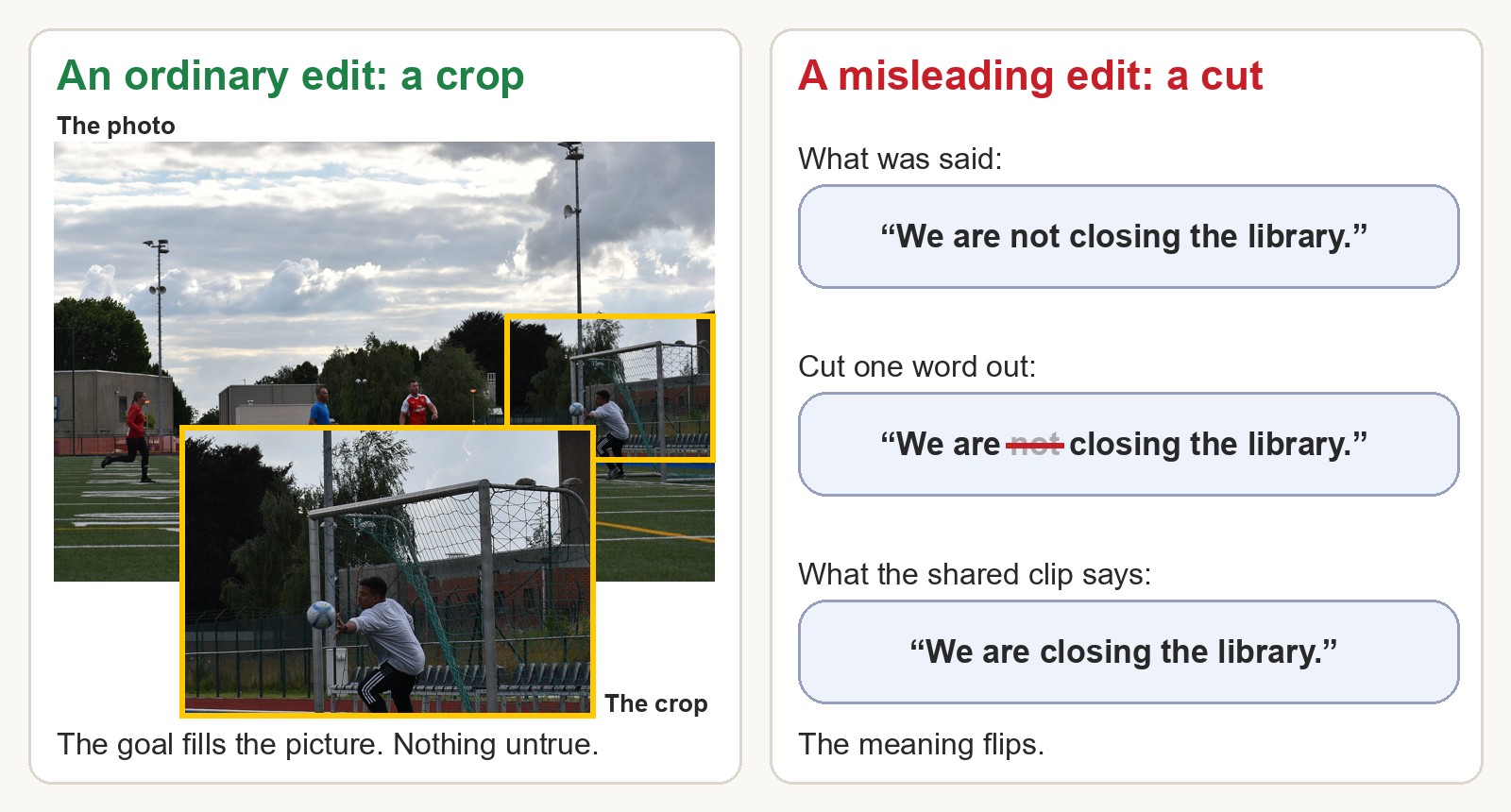
Photo on the left: "Goalie" by Bryan Gatchell, U.S. Army, public domain, via Wikimedia Commons.
Not every change is a trick. Cropping a sports photo so the goal fills the picture is an ordinary edit. An edit becomes a problem when it is hidden and makes the viewer believe something untrue, like cutting a sentence from a speech so the meaning flips.
Today you will use three verdicts:
- As taken: nothing important has been changed.
- Fair editing: the changes make it clearer, shorter, better framed, better quality or more private, without telling a false story.
- Altered to mislead: the change is meant to make people believe something untrue, or is likely to.
As a class, look at each item below and read its caption. Your teacher will play the clip and the video for everyone, twice each. Then talk it through, saying what changed and whether that tells a false story, and agree on one verdict. Choose your verdict in the activity below before you reveal the reasoning.
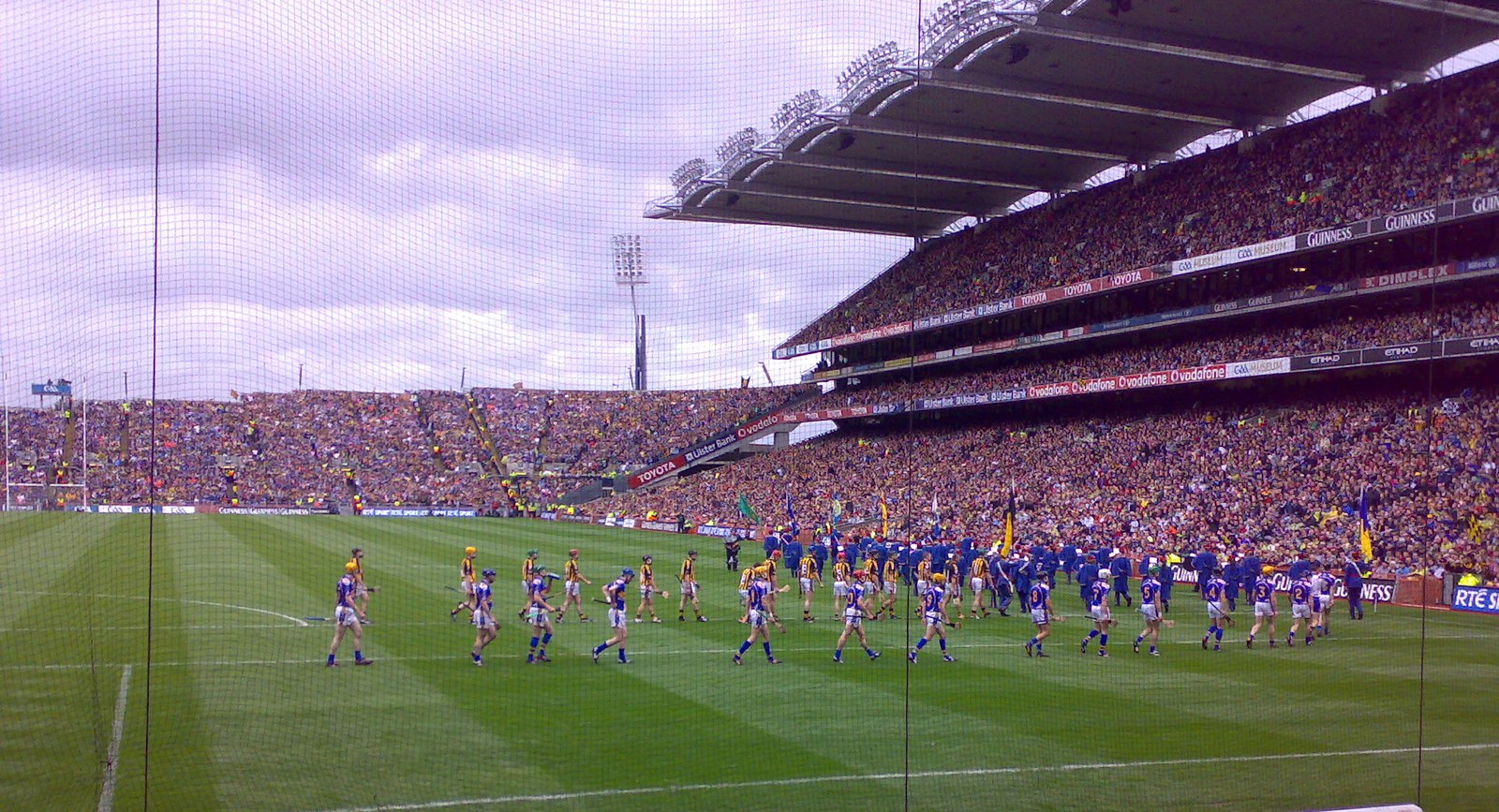
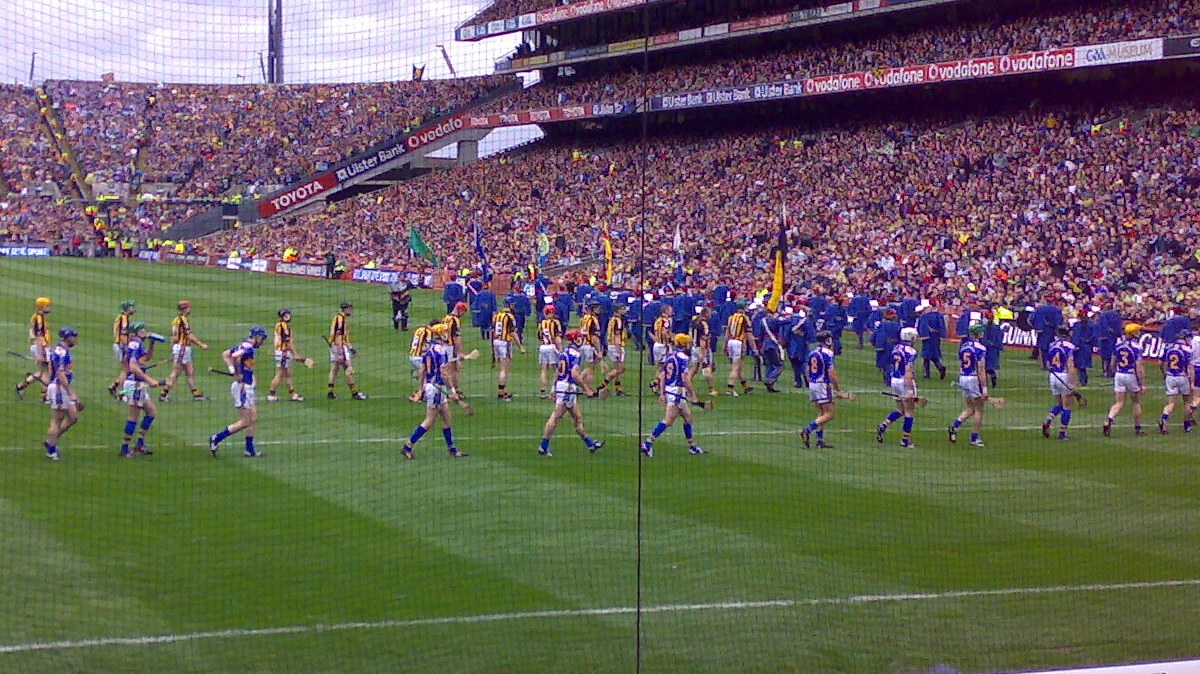
Item 1: the parade photo
Posted on a GAA club page: “The teams parade before the final.”
| The photographer's original | The posted version |
|---|---|
 |  |
Item 2: the councillor clip
Shared on a community page: “Councillor wants to close the youth club.” The post does not include the full recording.
Item 3: the snow video
Reposted phone video: “Blizzard batters Dublin as people fight their way home.”
Once the class has decided on all three, your teacher will open the originals in the fold-out section below the snow video.
Only after the class has called all three: the originals
The councillor's full recording:
The snow video as it was filmed, at normal speed with its real sound:
The photos and the snow video are real, but the captions, posts and councillor are made up, and a computer made the councillor's voice.
As taken, fair edit, or altered?
On your own or with a partner, judge these two items. Look carefully at each picture before you read its caption, and then write three short lines about it.
| Item 1 | Item 2 |
|---|---|
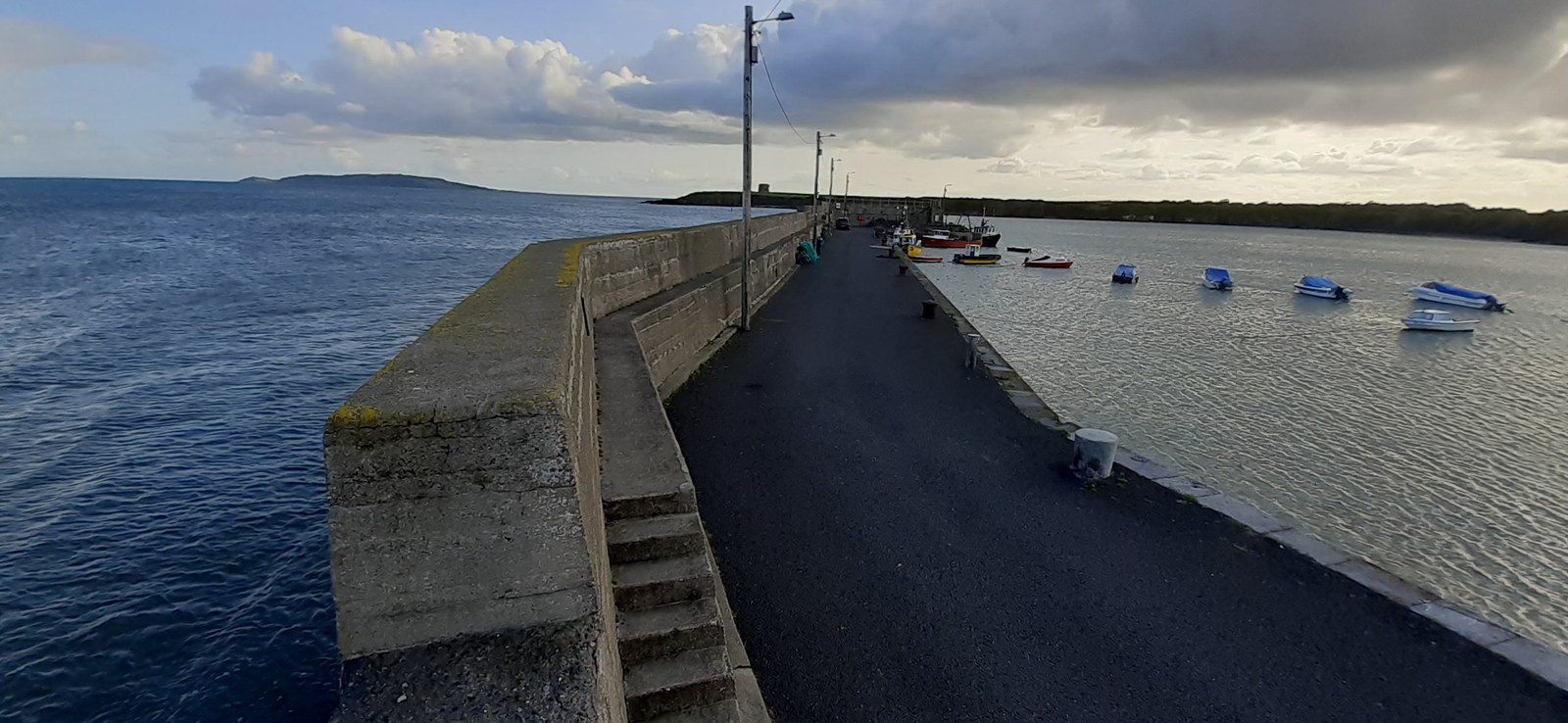 | 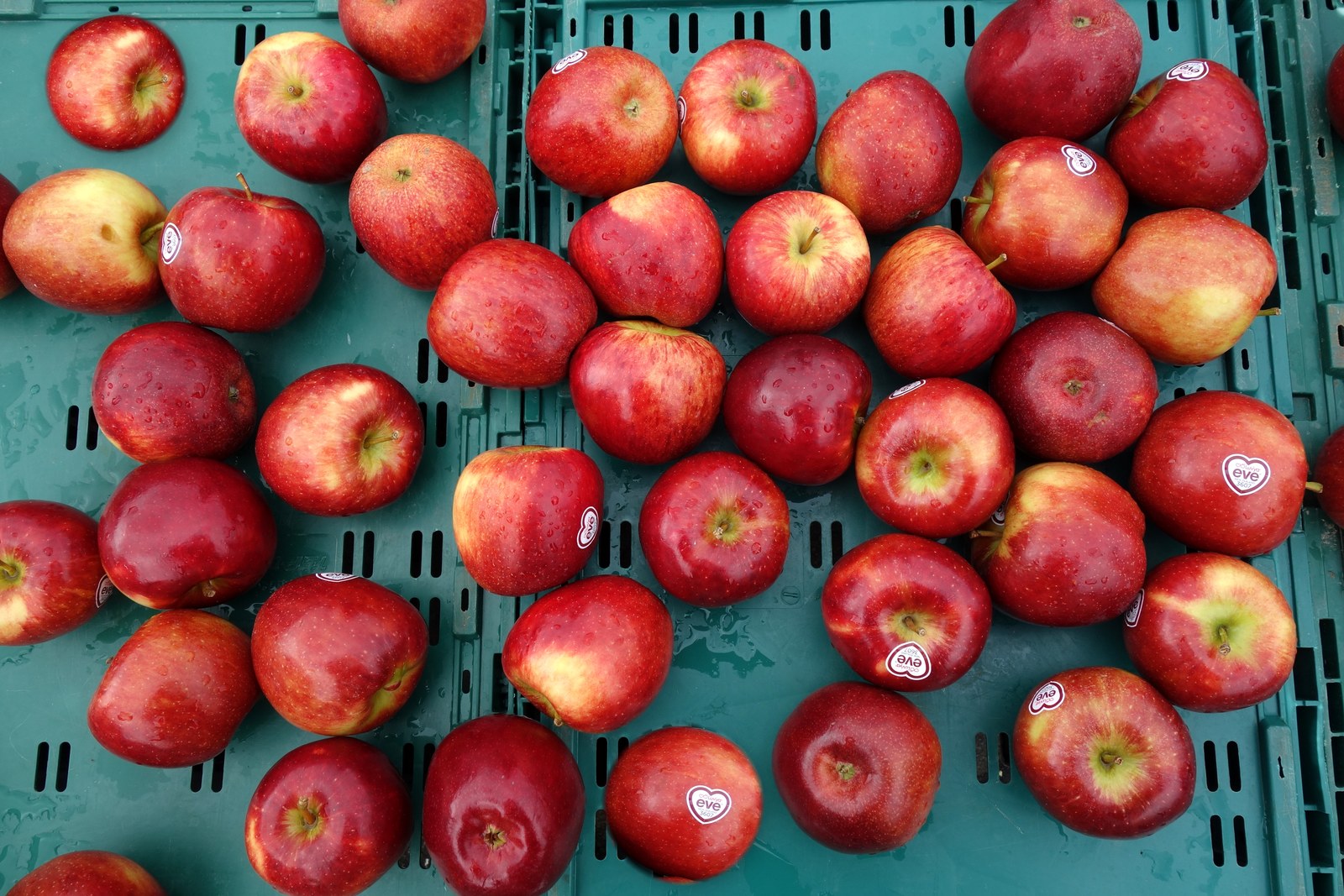 |
| Source: a local photographer, named in the post Caption: “Quiet morning at the pier.” | Source: shop’s own post Caption: “New batch in today. Crates full!” |
Click a photo to see it full size.
Verdict: as taken, fair editing, or altered to mislead.
What may have changed?
The one tell that decided it.
If two things in a photo look exactly the same, take a second look, because in a real photo no two things are perfectly alike and one may have been copied and pasted. Check too that light and shadow agree across the whole picture, and that reflections match what is above them.
Before you finish, check that you have:
- a verdict for both items
- one clear tell named for each
- at least one item where you can say why it is as taken or fair editing, rather than altered to mislead
When everyone has a verdict for both photos, open the answers below.
Only after you have decided: how each photo was made
Item 1, the harbour: as taken. This is a real photograph of the pier at Loughshinny, County Dublin, and nothing in it was changed. Nothing repeats, the light falls the same way on the pier, the water and the sky, and the caption says nothing the photo does not show.
Item 2, the apples: altered to mislead. Two apples were copied and pasted into empty spaces in the crate, so it looks fuller than it is. The caption, “Crates full!”, is what the edit was for.
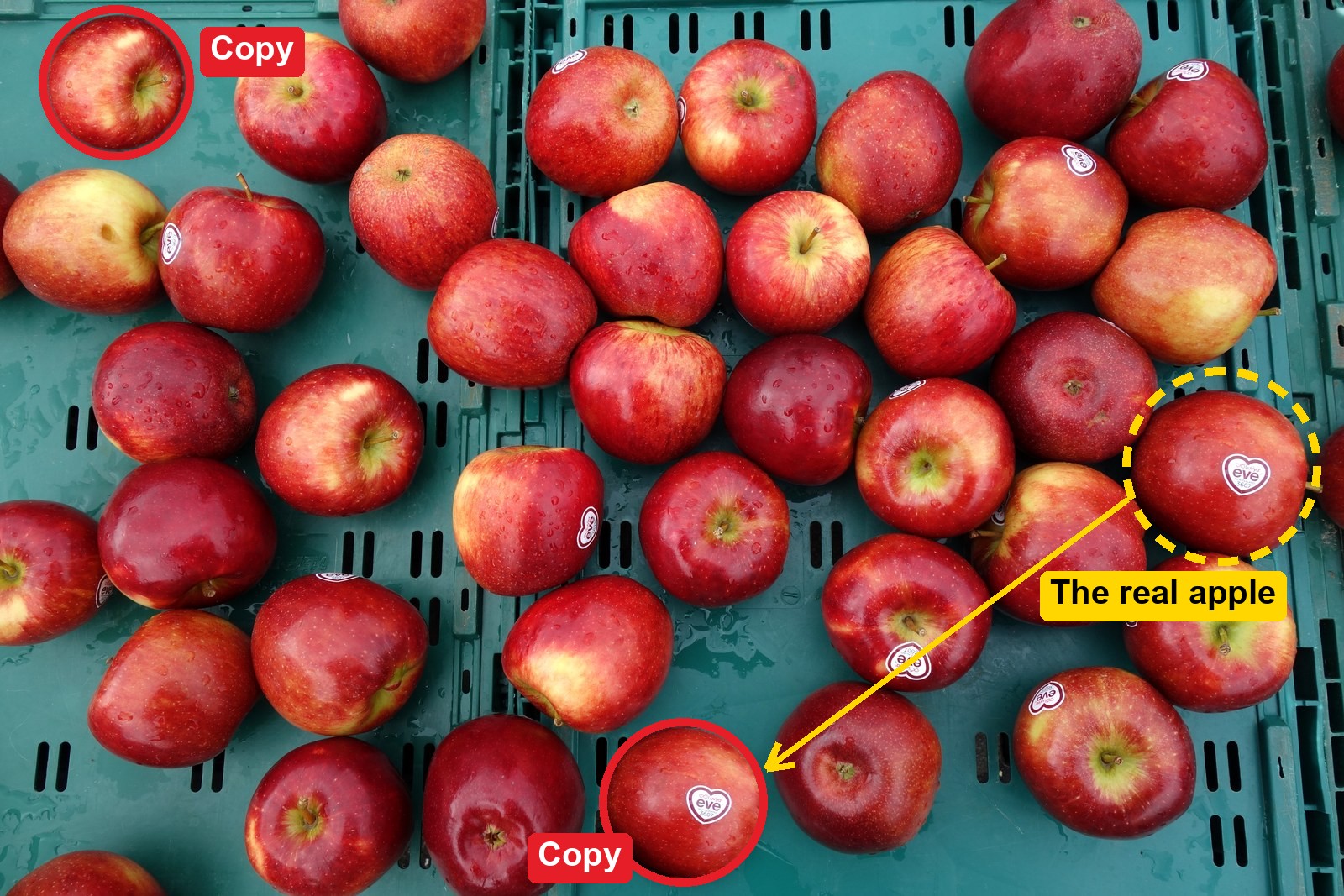
The clearest copy is the apple with the heart-shaped eve sticker. The real one is on the right of the crate. Its copy is near the bottom, a little smaller, with the sticker at exactly the same angle. No two real apples have the same shape, marks and shine.
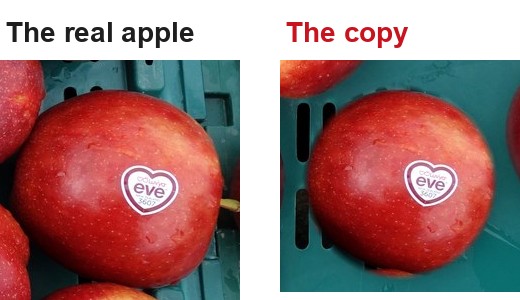
- Look for two things that are exactly the same. In a real photo, no two things are.
- Check that the light and the shadows agree across the whole picture.
- Ask what the caption wants you to believe, and whether the edit is there to make you believe it.
Unlock the full learning experience
You're previewing this lesson. Get full access to this lesson and hundreds more — each one ready to teach, with interactive activities, printable resources and pupil progress tracking built in.
This lesson is copyright of Coding Ireland 2017 - 2026. Unauthorised use, copying or distribution is not allowed.