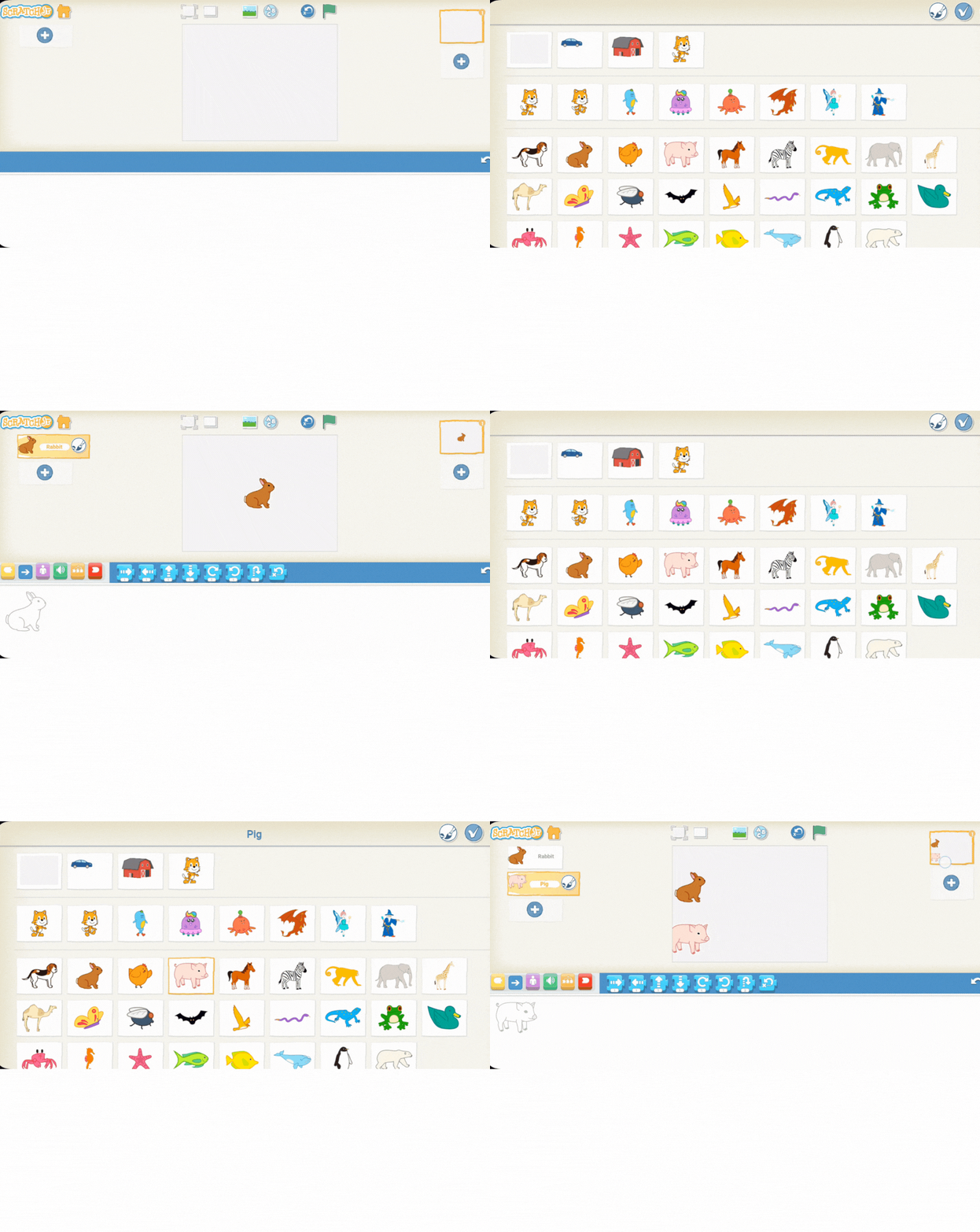
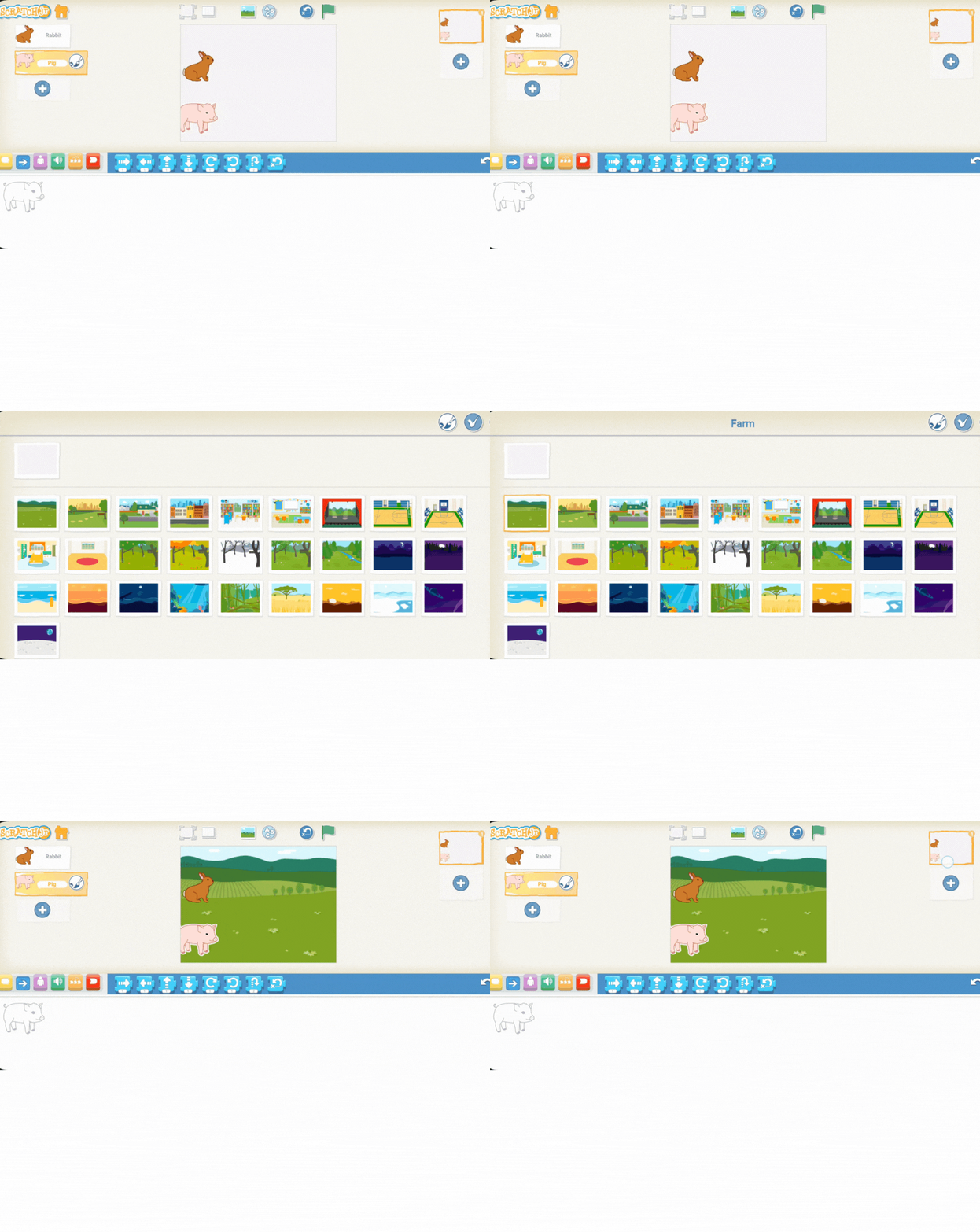
Instruct the students to open Scratch Jr. and start a new project.
Show them how to remove the default Scratch the Cat sprite by holding down on it until the "X" appears, and then clicking the "X" to delete it.
Guide the students to add two new animal sprites. Encourage them to choose one fast animal (like a horse or rabbit) and one slow animal (like an elephant or a pig).
Demonstrate how to select and add these sprites from the Scratch Jr. library and place them on the left hand side of the screen.
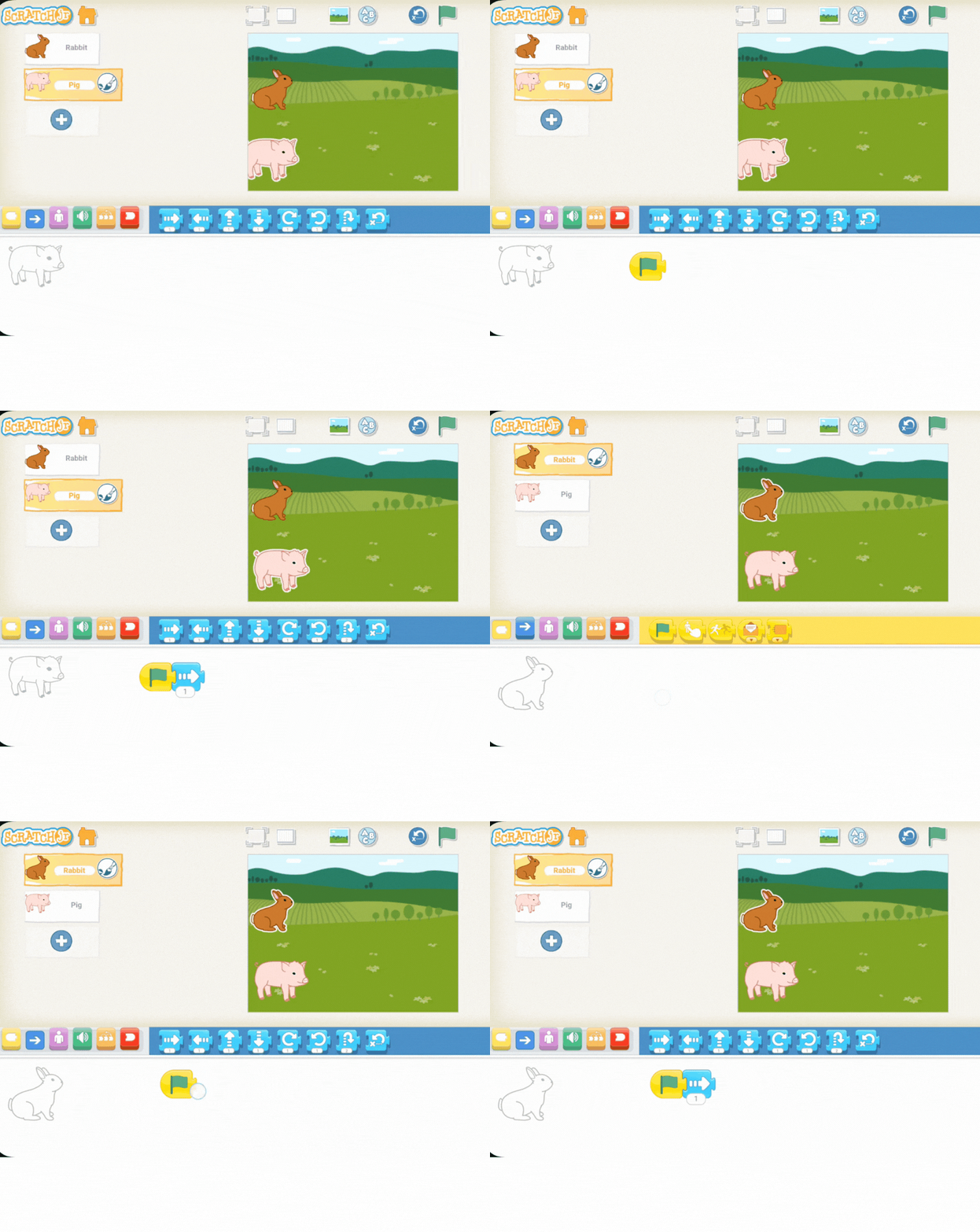
Explain that they will now program their animals to move across the field.
Remind them how to drag the movement blocks into the coding area for each sprite, ensuring that they begin with the green flag block.
You're previewing this lesson. Get full access to this lesson and hundreds more — each one ready to teach, with interactive activities, printable resources and pupil progress tracking built in.