 Today you build a small Scratch program that adds up a team's scores, then you meet a broken copy of it. The broken one runs perfectly happily and gives the wrong answer, which is the hardest kind of bug to find.
You will trace it by hand, fix it at your device, and then read what an AI assistant said about the same code and decide whether to believe it.
Go to scratch.mit.edu and click Create. Call the project Score Adder.
You will build on the cat sprite that is already there, so there is nothing to add.
In Variables (orange), click Make a List and call it scores. Then make two variables the same way: total and count.
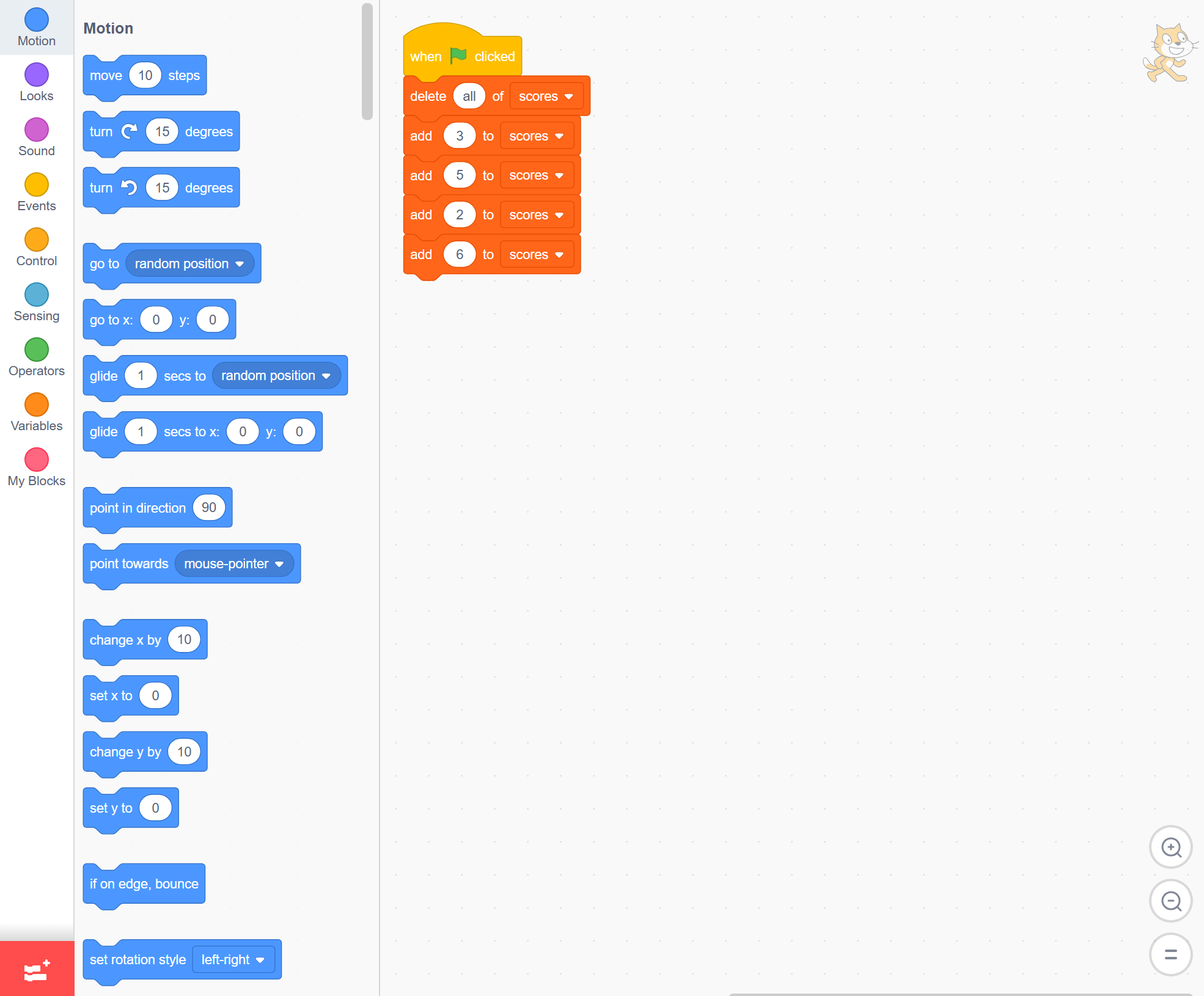
Now build the start of the program. It clears the list, then adds four scores to it.
when green flag clicked
delete all of [scores v]
add (3) to [scores v]
add (5) to [scores v]
add (2) to [scores v]
add (6) to [scores v]
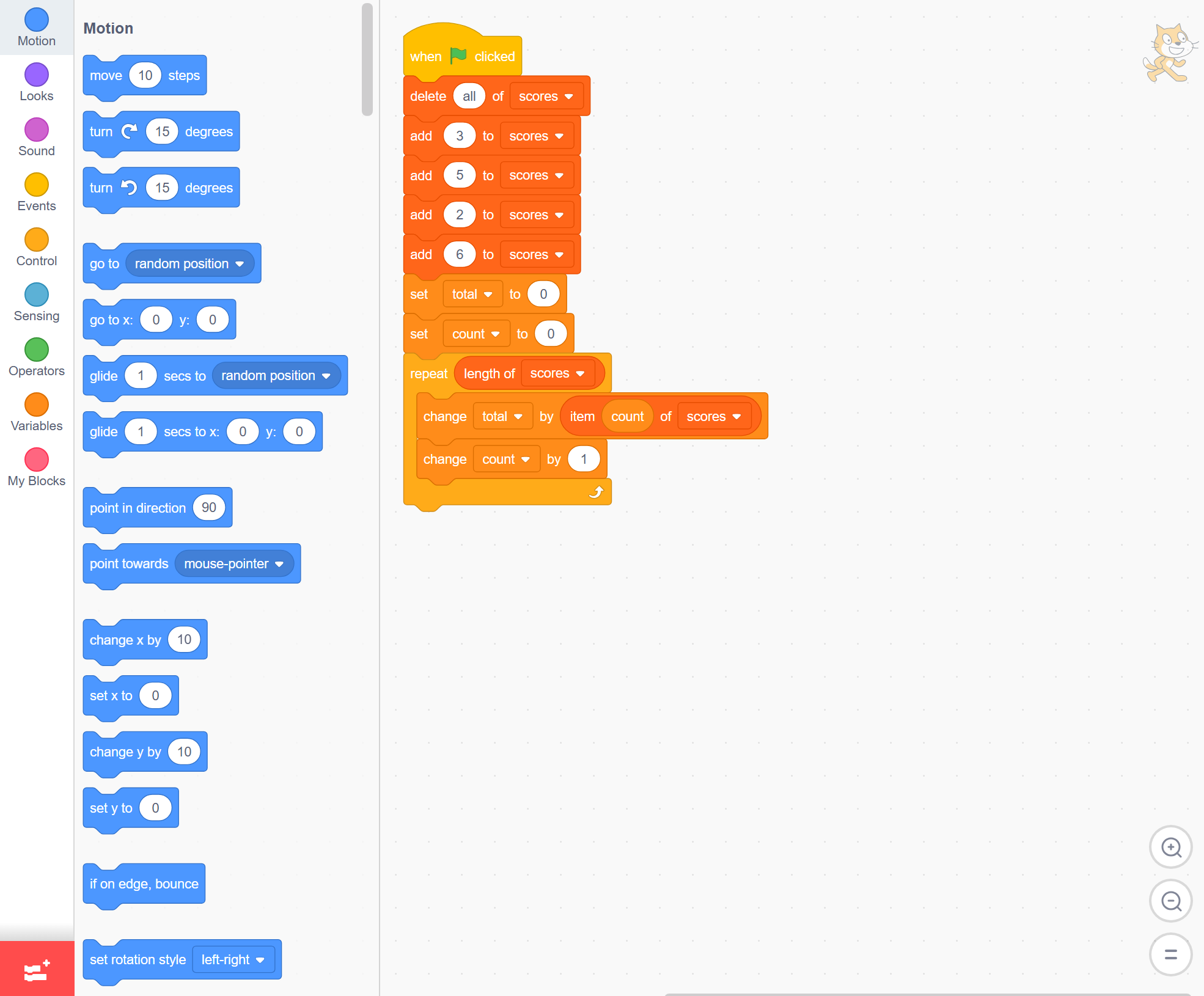
Set total and count to 0, then use a repeat loop from Control (gold) to walk the list. Each time round it adds one score to the total and counts it.
Read it and predict what total and count will hold at the end, before you click the green flag.
when green flag clicked
delete all of [scores v]
add (3) to [scores v]
add (5) to [scores v]
add (2) to [scores v]
add (6) to [scores v]
set [total v] to (0)
set [count v] to (0)
repeat (length of [scores v])
change [total v] by (item (count) of [scores v])
change [count v] by (1)
end
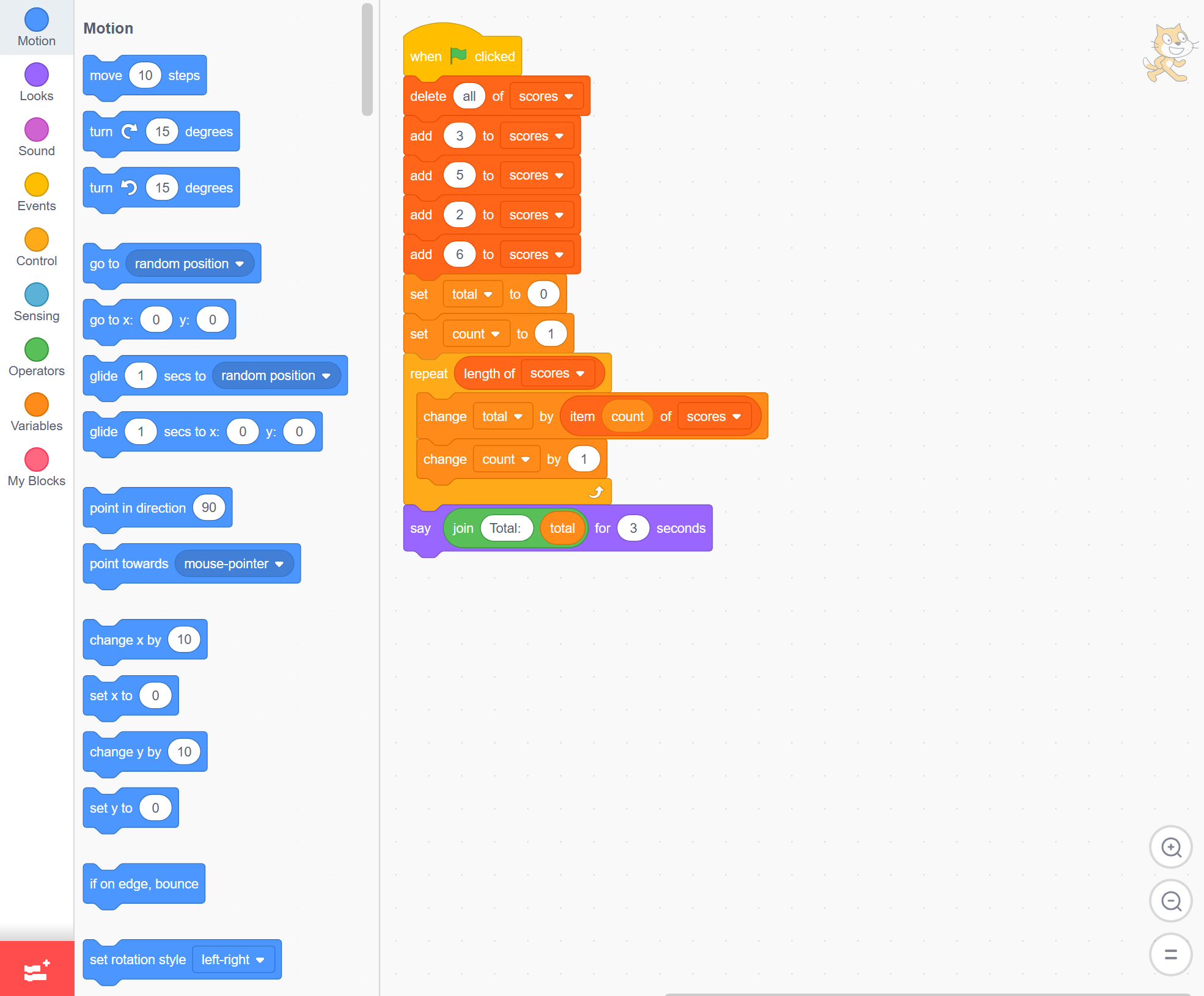
The counter has to start at 1, because Scratch numbers list items from 1, and it must go up after the score is added. Change set count to 0 to set count to 1.
Click the green flag. The cat should say 16, the total of 3, 5, 2 and 6.
when green flag clicked
delete all of [scores v]
add (3) to [scores v]
add (5) to [scores v]
add (2) to [scores v]
add (6) to [scores v]
set [total v] to (0)
set [count v] to (1)
repeat (length of [scores v])
change [total v] by (item (count) of [scores v])
change [count v] by (1)
end
say (join [Total: ] (total)) for (3) seconds
Unlock the full learning experience
You're previewing this lesson. Get full access to this lesson and hundreds more — each one ready to teach, with interactive activities, printable resources and pupil progress tracking built in.
This lesson is copyright of Coding Ireland 2017 - 2025. Unauthorised use, copying or distribution is not allowed.
Scratch is developed by the Lifelong Kindergarten Group at the MIT Media Lab. It is available for free at https://scratch.mit.edu