Can you escape the prison before times runs out! In this Arcade project we create a prison maze that you need to escape before the timer runs out.
Go to the https://arcade.makecode.com website and create a new project.
Create a new Arcade project using the makecode.com website.
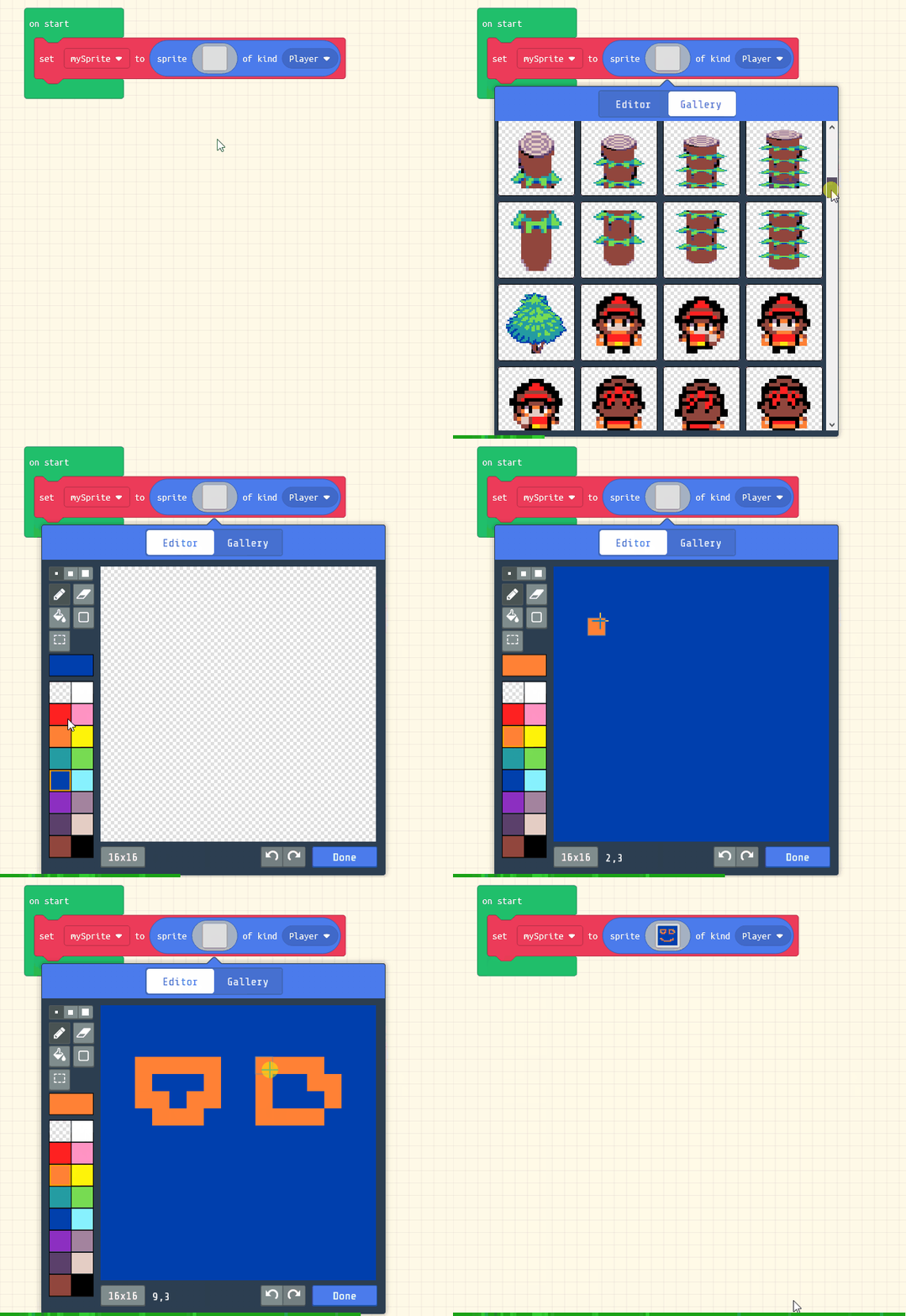
Next create a sprite for your character that you will control and navigate through the maze.
Add the following code to your project and then design a character using the sprite editor.
let mySprite = sprites.create(img`
. . . . . . . . . . . . . . . .
. . . . . . . . . . . . . . . .
. . . . . . . . . . . . . . . .
. . . . . . 7 7 . . . . . . . .
. . . . 7 7 7 7 7 . . . . . . .
. . . . 7 7 7 5 7 7 . . . . . .
. . . . 7 7 7 7 7 7 . . . . . .
. . . . 7 7 7 7 7 7 . . . . . .
. . . . . . 7 7 . . . . . . . .
. . . . . . 7 7 . . . . . . . .
. . . . . 7 7 7 7 7 . . . . . .
. . . . . . 7 . . . . . . . . .
. . . . . . 7 . . . . . . . . .
. . . . . 7 7 7 . . . . . . . .
. . . . 7 7 . 7 7 . . . . . . .
. . . . . . . . . . . . . . . .
`, SpriteKind.Player)
Click on the gray box in the sprite block to open the Editor. You can choose a sprite from the Gallery or you can paint your own sprite using the Editor.
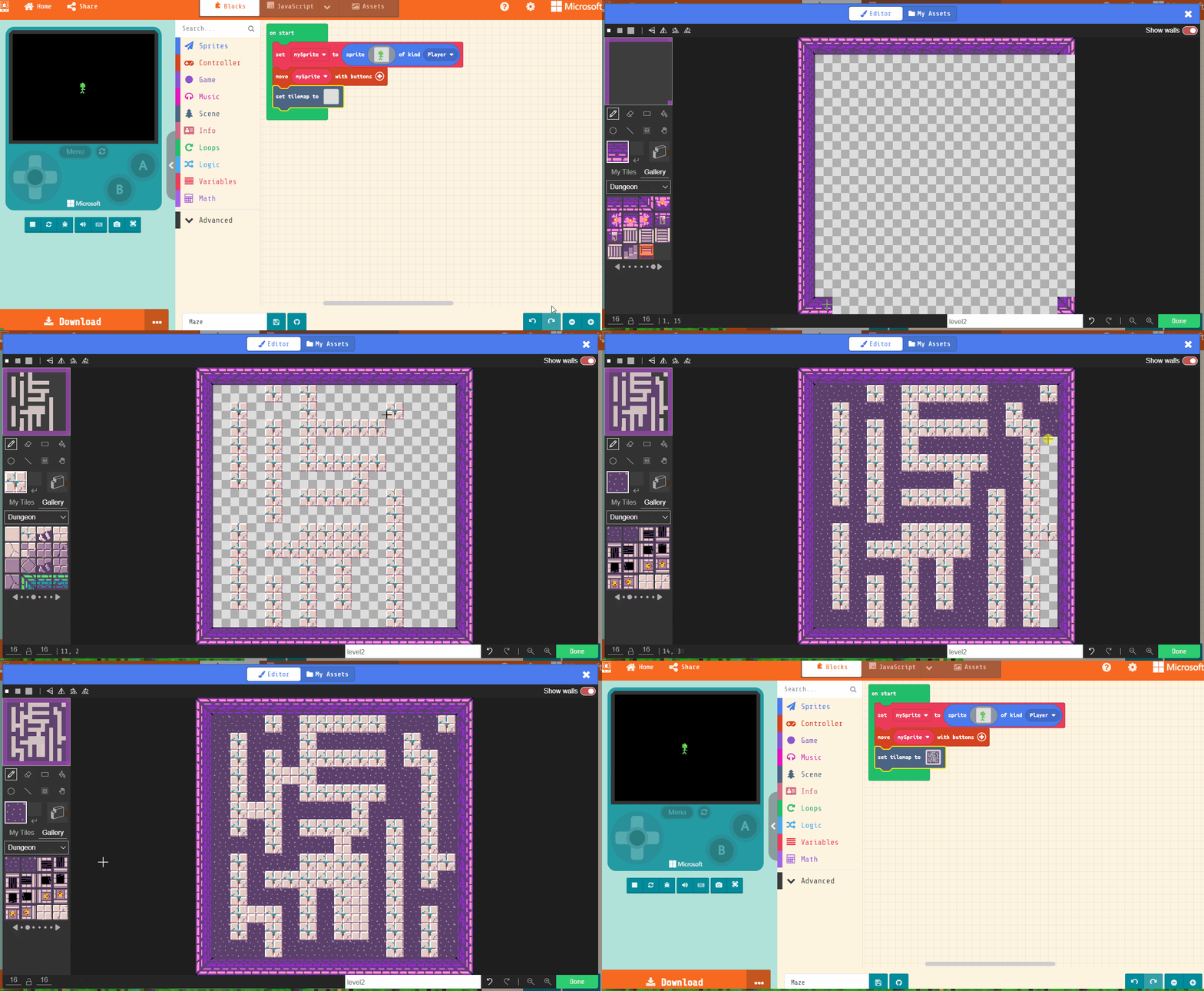
Add a move (mySprite) with buttons block underneath the set [mySprite] to block so that you can control the movement of the sprite with the arrow buttons.
let mySprite = sprites.create(img`
. . . . . . . . . . . . . . . .
. . . . . . . . . . . . . . . .
. . . . . . . . . . . . . . . .
. . . . . . 7 7 . . . . . . . .
. . . . 7 7 7 7 7 . . . . . . .
. . . . 7 7 7 5 7 7 . . . . . .
. . . . 7 7 7 7 7 7 . . . . . .
. . . . 7 7 7 7 7 7 . . . . . .
. . . . . . 7 7 . . . . . . . .
. . . . . . 7 7 . . . . . . . .
. . . . . 7 7 7 7 7 . . . . . .
. . . . . . 7 . . . . . . . . .
. . . . . . 7 . . . . . . . . .
. . . . . 7 7 7 . . . . . . . .
. . . . 7 7 . 7 7 . . . . . . .
. . . . . . . . . . . . . . . .
`, SpriteKind.Player)
controller.moveSprite(mySprite)
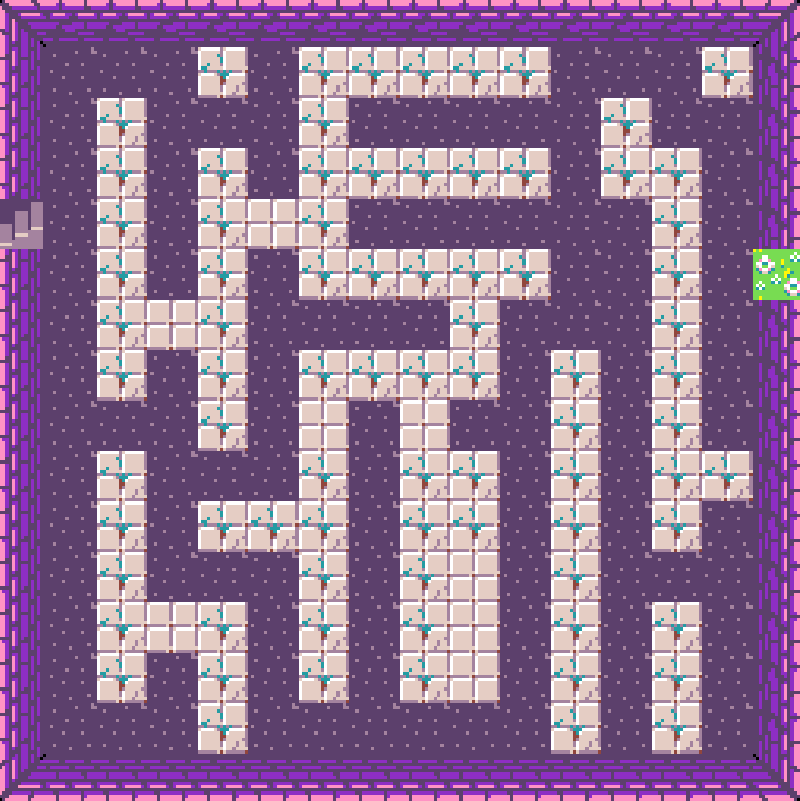
Now add a set tilemap to block inside the on start block and map editor to draw a maze. You will need to draw:
Use whichever tiles you want, if the example we are using tiles from the 'Dungeon' category.
Make sure you leave a path through from the start of the maze to the end!
let mySprite = sprites.create(img`
. . . . . . . . . . . . . . . .
. . . . . . . . . . . . . . . .
. . . . . . . . . . . . . . . .
. . . . . . 7 7 . . . . . . . .
. . . . 7 7 7 7 7 . . . . . . .
. . . . 7 7 7 5 7 7 . . . . . .
. . . . 7 7 7 7 7 7 . . . . . .
. . . . 7 7 7 7 7 7 . . . . . .
. . . . . . 7 7 . . . . . . . .
. . . . . . 7 7 . . . . . . . .
. . . . . 7 7 7 7 7 . . . . . .
. . . . . . 7 . . . . . . . . .
. . . . . . 7 . . . . . . . . .
. . . . . 7 7 7 . . . . . . . .
. . . . 7 7 . 7 7 . . . . . . .
. . . . . . . . . . . . . . . .
`, SpriteKind.Player)
controller.moveSprite(mySprite)
tiles.setTilemap(tilemap`level2`)
You're previewing this lesson. Get full access to this lesson and hundreds more — each one ready to teach, with interactive activities, printable resources and pupil progress tracking built in.