In this lesson we will create an app that simulates the events and goals of a football match. Players will create their own 5 a side teams and play a simulated match.
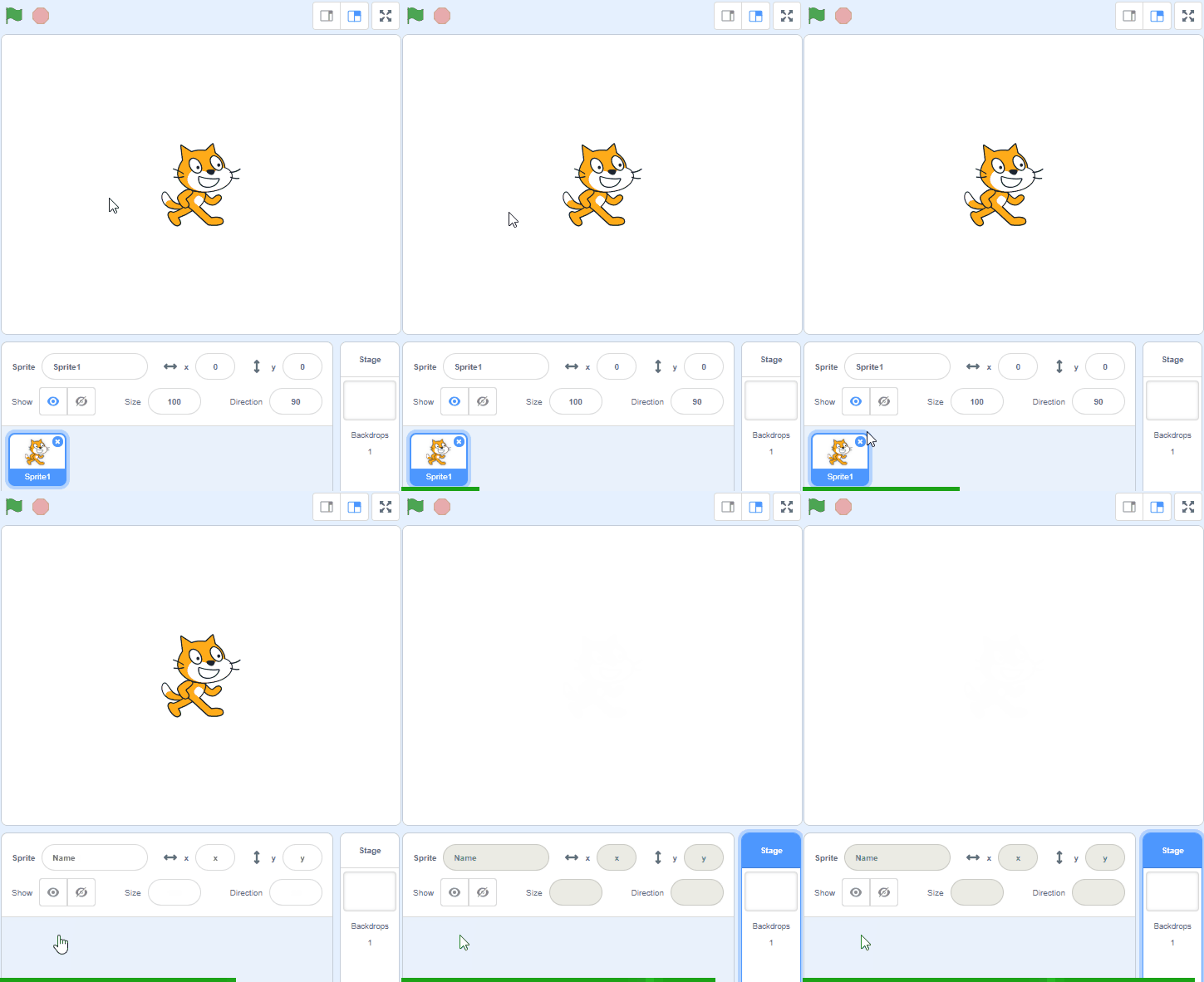
Create a new Scratch project and delete the cat sprite.
Go to the Scratch website using the link below and click on the 'Create' link in the blue bar at the top.
By default, each new project starts with the cat sprite already added. To delete the cat click on the x in the blue circle beside the cat in the sprite list.
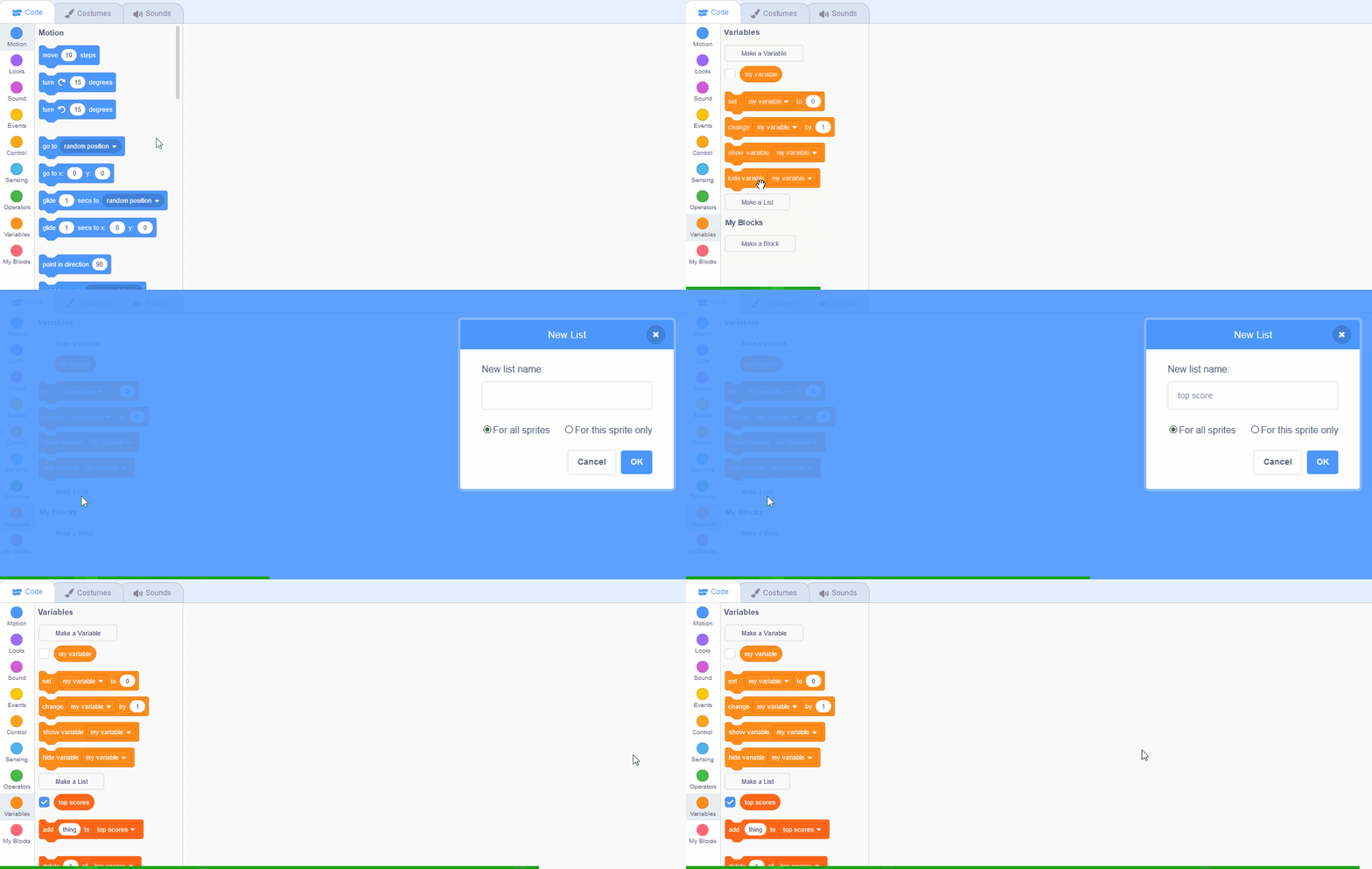
In the Data palette, create 3 new lists by clicking the 'Make a List' button.
In the Variables palette, create a new variable by clicking the 'Make a List' button.
Once you click this button a box will appear asking what you want to call your list. Give it a name that reminds you what you will be using it for. For example, if you wanted to keep track of top scores in a game, you would create a list called 'top scores'.
We will need some variables to store values to help us run the game. Variables are things that we use to store some information such as the top score of a game or what level you're on.
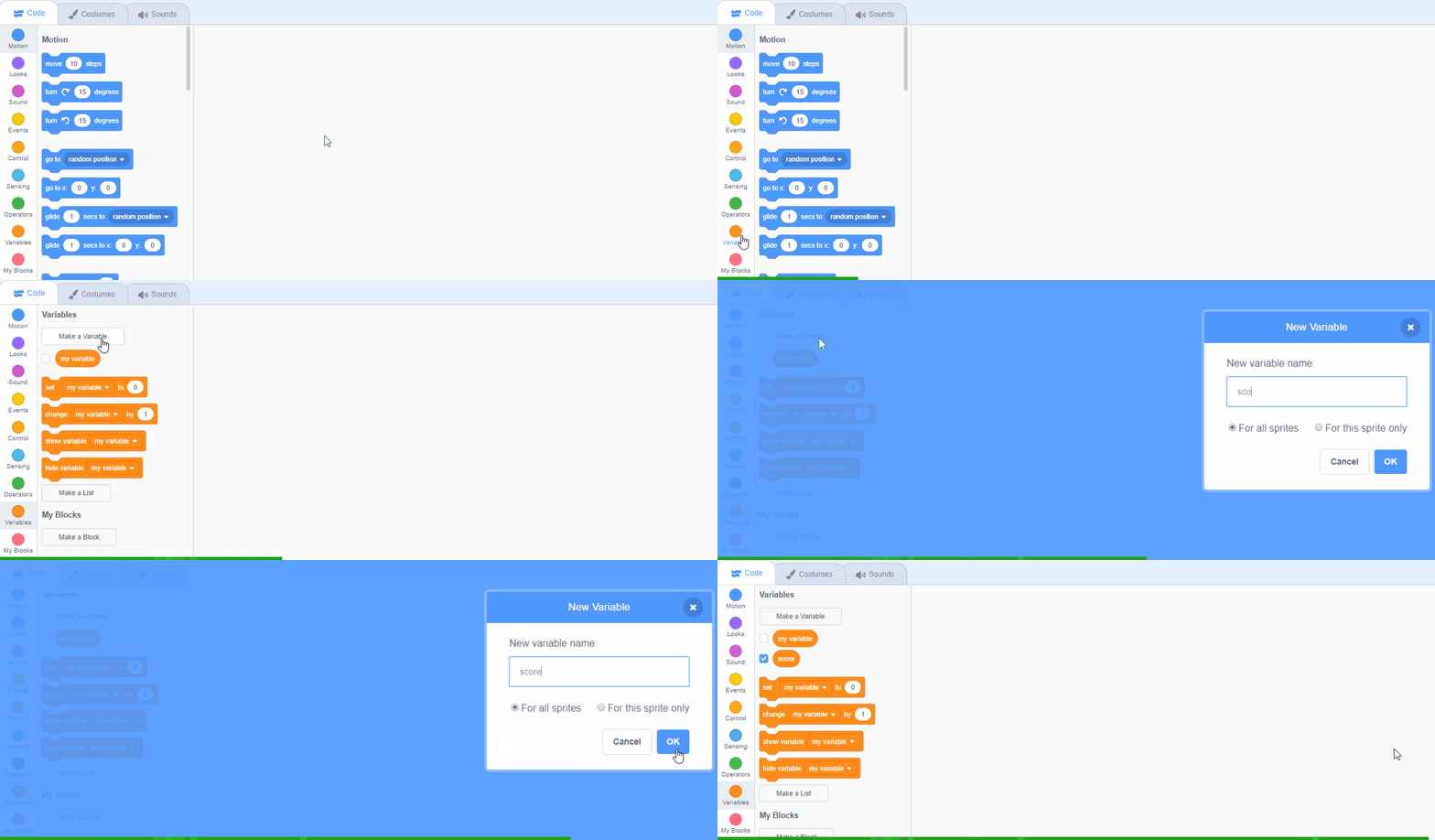
In the Data palette, create 5 new variables by clicking the 'Make a Variable' button.
In the Variables palette, create a new variable by clicking the 'Make a Variable' button.
Once you click this button a box will appear asking what you want to call your variable. Give it a name that reminds you what you will be using it for. For example, if you wanted to keep track of your score in a game, you would create a variable called 'score'.
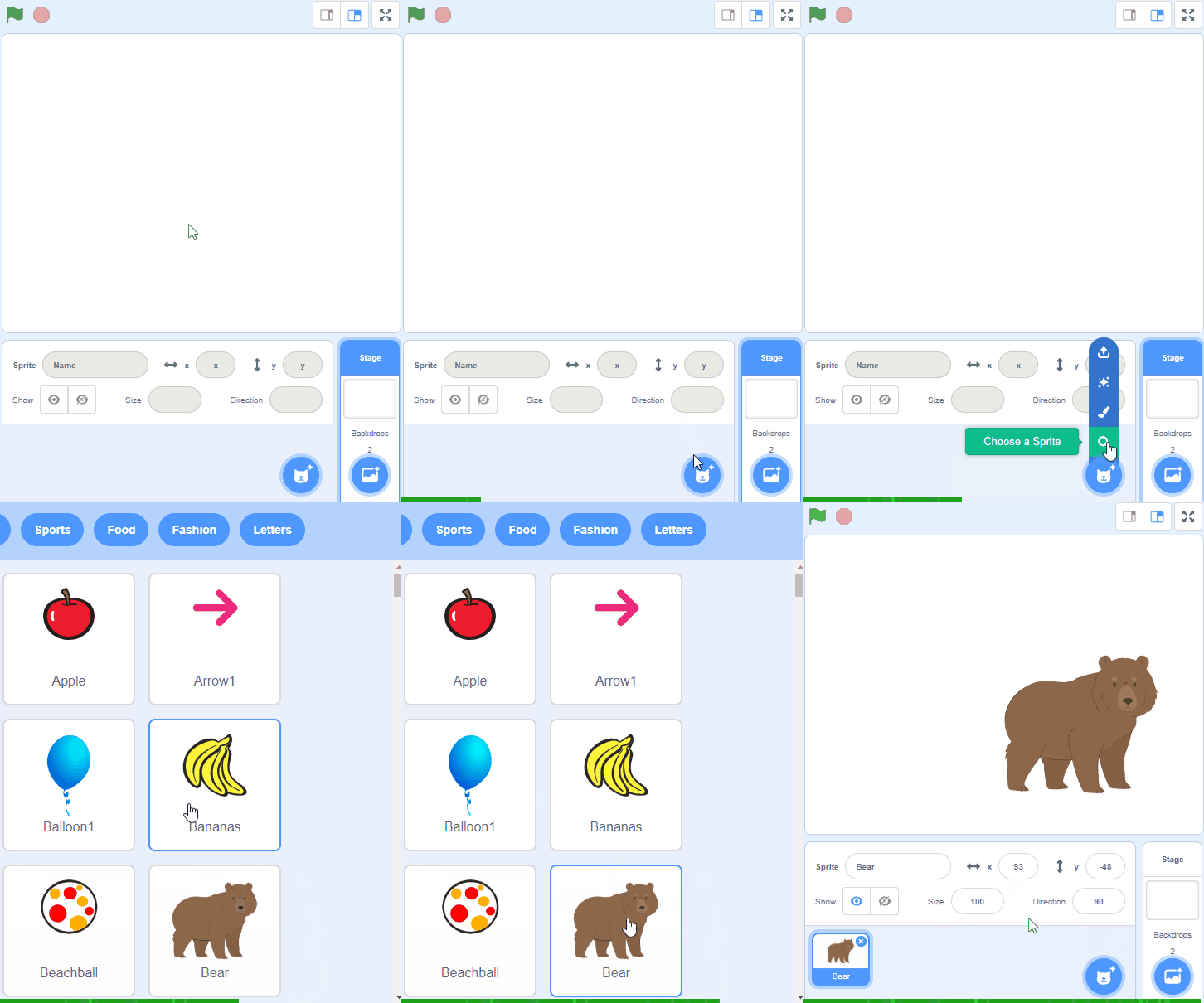
We're going to use a referee sprite to call out the events that happen in the match. Add the Referee sprite from the sprite library and then drag the referee into the middle of the stage area.
To add a sprite from the sprite library follow these steps:
You can use search box or the filter links (Animals, People, Fantasy etc) to locate your sprite.
You're previewing this lesson. Get full access to this lesson and hundreds more — each one ready to teach, with interactive activities, printable resources and pupil progress tracking built in.