 So far your programs have run on the machine in front of you. Today the question is different: when you open a page like met.ie, how does a message leave your device, find a computer somewhere else, and come back as a full page?
You will put the journey in order yourself, then watch a real page load and see the traffic fly past.
Picture this. You type met.ie into the address bar. Your device is not holding the weather page. A computer somewhere else is. Your device has to ask for the page, and that computer has to send it back.
Three ideas will help you put the journey in order:
- Server: the computer that holds the page and sends it when asked
- Packets: small chunks the message is split into, each carrying a piece of data plus the address of where it is going
- Routers: machines along the way that pass packets on, choosing the next hop each time
Devices only understand each other because they follow agreed rules, so the pieces make sense at the other end. You will meet the name for those rules later.
You already know enough to put the journey in order. Next you will try.
Open the interactive activity. You will see the steps a message takes when you load a page, but they are jumbled.
Drag the cards into the order you think really happens, from the moment you enter the address to the moment the page appears. When you are happy with your sequence, check it. If a card is in the wrong place, move it and try again.
When your sequence is correct, read back through it once and be ready to say which card surprised you most.
How your message crosses the internet
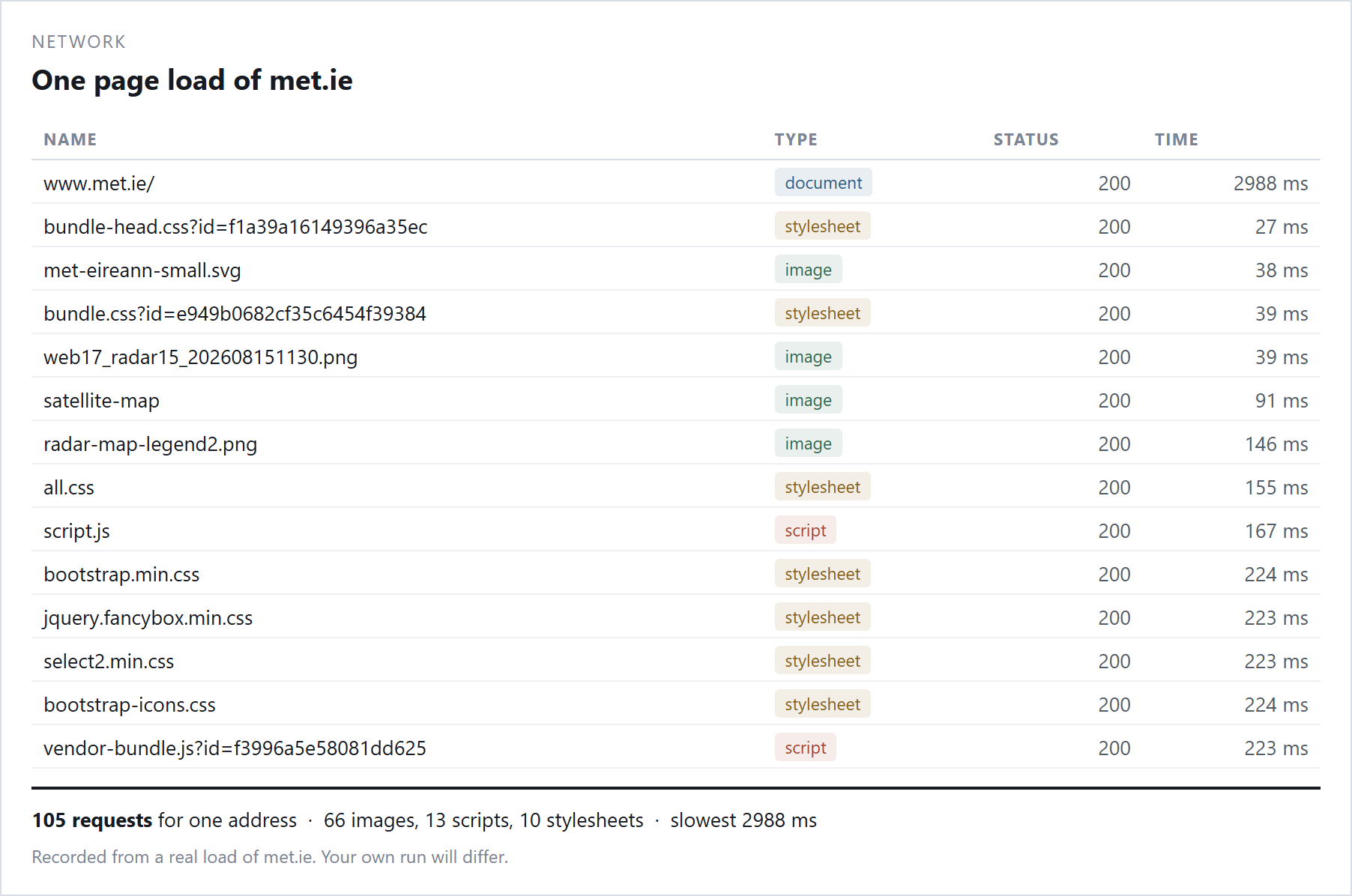
Now watch the same journey happen for real. Most of you will watch on the board; opening the tools yourself is optional extension.
Your teacher will open a simple page (met.ie, a GAA club page, or the school site) with the Network tab visible and reload it so the class can see the list of requests fill up. After each reload, talk briefly with the person beside you and be ready to call out what you noticed.
Unlock the full learning experience
You're previewing this lesson. Get full access to this lesson and hundreds more — each one ready to teach, with interactive activities, printable resources and pupil progress tracking built in.
This lesson is copyright of Coding Ireland 2017 - 2025. Unauthorised use, copying or distribution is not allowed.