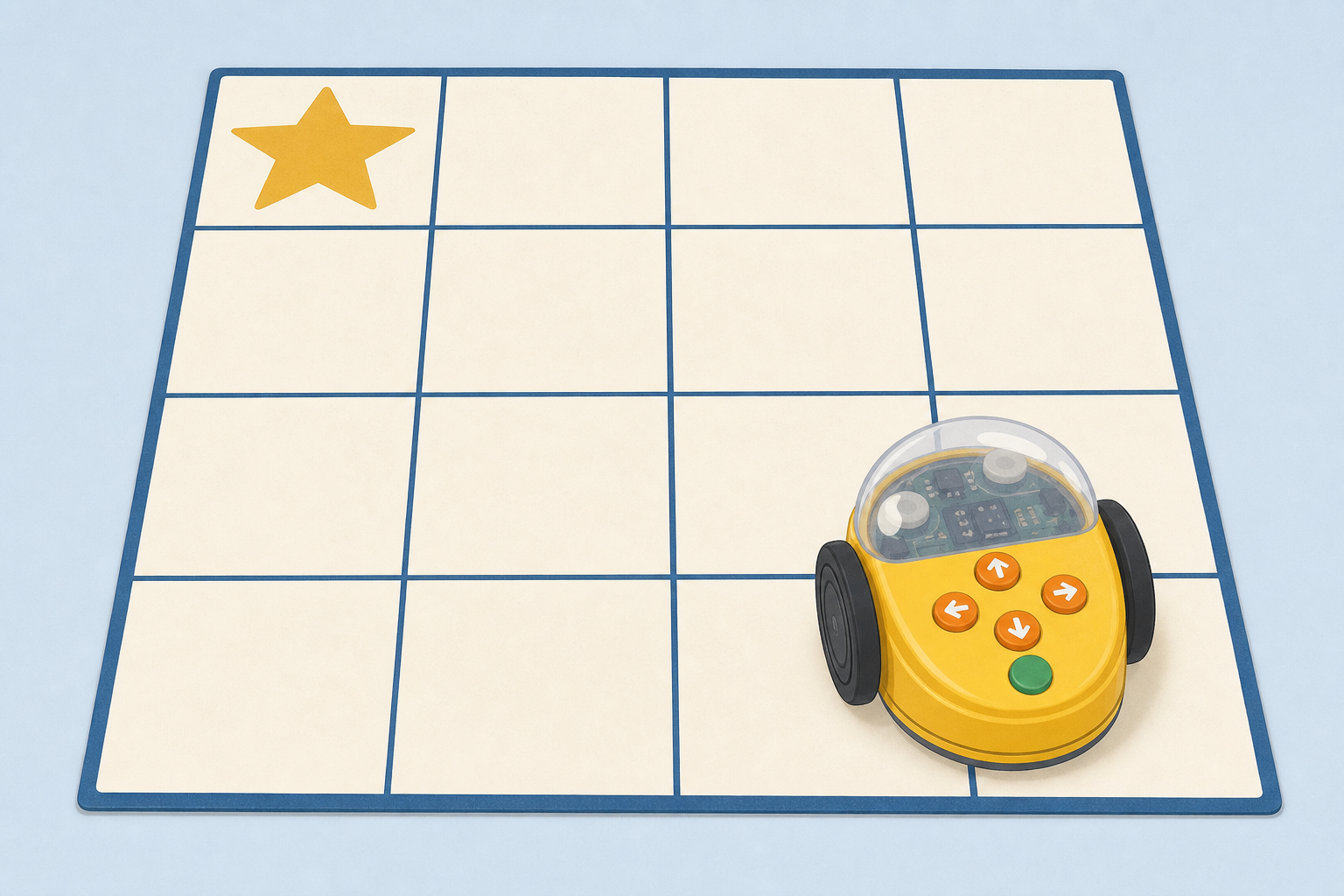
Look at our little floor robot. Can we send it all the way to the star?
What do you think we need to tell it first?
Keep the hook light. Hold up the floor robot (or point to a child ready to be the robot) and show the star target on the mat. Do not yet list the buttons or run a full path.
Key question: What do we need to tell the robot so it knows where to go?
Accept any ideas about moving, turning or pressing buttons. Link gently to people who plan robot steps: People who make delivery robots plan every step before the robot rolls off.
We put moves in order to send the robot to the star.
How will we know if our robot got it right?
One idea only on the board. Point to the star on the mat when you say it got it right (it stops on the star).
Do not dump a glossary yet. Words like target, wrong step, bug and fix will be named aloud in the next step when the class sees a miss and a fix on the real mat.
| Concept | Why it matters | Example |
|---|---|---|
| Steps in order — the moves we choose, one after another, to send the robot where we want | Robots only do what we tell them, in the order we press | Forward, forward, turn right, forward to reach the star |
| Target — the square we want the robot to stop on | We need a clear place to aim for so we can check if our steps worked | A star card on one square of the floor mat |
| Wrong step (bug) — a move that makes the robot miss | Finding the wrong step helps us fix the path instead of giving up | Turning left when we needed to turn right |
| Fix — changing the wrong step and trying again | Makers of real robots fix wrong steps every day so the robot can help people | Swap the left turn for a right turn and run it again |
Misconception to head off later in the demo: children may think the robot "knows" where to go. Stress that it only follows the steps we give it.
Word "bug": at this age it sounds like an insect. Use plain talk first (wrong step, oops step). Only after the class has seen a wrong turn on the mat, say: In robot talk we call that wrong step a bug.
Watch carefully. I will put some moves in order and send the robot toward the star.
Where do you think it will stop?
I wonder: Can I send the robot from the start square to the star?
I plan: Think aloud and lay arrow cards: forward, forward, turn right, forward. Deliberately include one wrong step (e.g. turn left instead of right) so the class will see a miss. Use separate cards for each forward move.
I guess: Ask the class where it will stop. Tally hands using the options on the board.
I run: Press the steps (or walk the child robot). The robot should miss the star by one turn.
I noticed: It turned the wrong way and stopped beside the star, not on it. Point and name: That square with the star is our target. That wrong turn was our wrong step. Then add: In robot talk we call a wrong step a bug.
I think / I fix: Let's change that step to turn right and try again. Re-run. Celebrate when it lands on the star. Echo: We fixed the bug.
What to expect: excitement when it misses and cheers when the fix works. If the robot goes off the mat, calmly clear and reset — that is also a wrong step to fix.
Fold the watchers in: Were we right? What step went wrong? What should we change?
Let's plan the steps to the star on the board before we touch the real robot.
Which moves will get our robot to the star? Call out forward, turn left or turn right.
Open the algorithm-sequencer interactive on the IWB in explore mode. The class sees a small grid, a robot sprite and a star target only a short path away (about three to five commands).
What appears on screen: command cards for forward, turn left and turn right. The goal is to reach the star without leaving the grid.
Invite two or three children to the board to drag steps while the rest of the class call out. Before you press Run, ask: Where do you think it will stop?
If it misses, ask the class to spot the wrong step and suggest one change. Run again. Keep this whole-class and quick — the real floor mat is next.
Low-tech fallback: if the interactive will not load, lay large arrow cards on the IWB tray or floor in order and walk a finger-puppet robot along a drawn grid.
One group at a time works at the mat. If it is your group's turn, lay the arrow cards and guess where the robot will stop.
If you are watching on the carpet, your job is to guess too and help spot a wrong step.
When the robot misses, the group at the mat changes one card and tries again if there is time.
This lesson uses one taped floor grid and one floor robot (or one child robot). Split the class into small groups of about four. Groups take turns at the mat. If you already have a second robot and space, you may tape a second identical grid and run two turns at once; otherwise stay with one mat.
Equity cue before the first turn (say this aloud): Every group plans with us. If you are on the carpet, your job is to guess and spot the wrong step.
Keep paths short at this age: three to five steps is enough. Celebrate a clear named fix as much as a first-time hit.
Fold watching groups in (do not invent desk busywork): while another group runs, ask the carpet: Were they right? Which way is the robot facing? What would you change? Watching is participation. Watching groups meet the learning outcomes through prediction and naming the wrong step.
Honest reach: not every group will handle the robot in a single 30-minute lesson. That is fine. Children who only watch still plan with their voices, watch a run, and help name a fix.
No floor robot? One child is the robot. They may only move when a friend shows an arrow card and says the step. Same plan–guess–run–fix cycle on the shared mat.
Circulate with: What is your first step? Which way is the robot facing now? What will you change?
Safety: bags and chairs off the mat; robot on the floor only; gentle feet around moving robots.
10-minute pacing guide: model roles in about 1 minute, then roughly three to four group turns. Each active turn aims for: lay cards → one run → name one change if they miss. Second run only if time. Prefer fewer, calmer turns over rushing every group through a perfect hit.
You're previewing this lesson. Get full access to this lesson and hundreds more — each one ready to teach, with interactive activities, printable resources and pupil progress tracking built in.