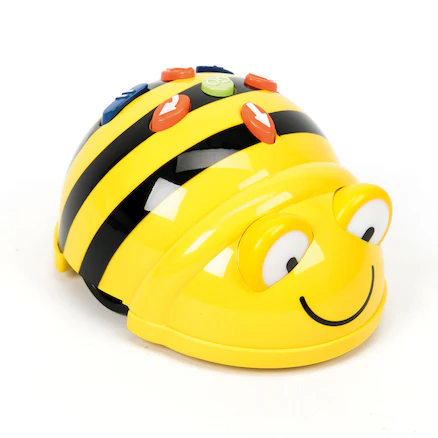
Next play the following direction games with your students, using your IWB/projector or large screen. This engaging activity will help students start to understand how the Bee-Bots work and how we can give them different instructions.
How to Play
Introduce the game:
"Now, we're going to play a direction game. In this game, we'll take turns to give the ladybird instructions to get them to the target."
Demonstrate the game:
Start playing:
Now try playing the game again with your students but this time with colours.
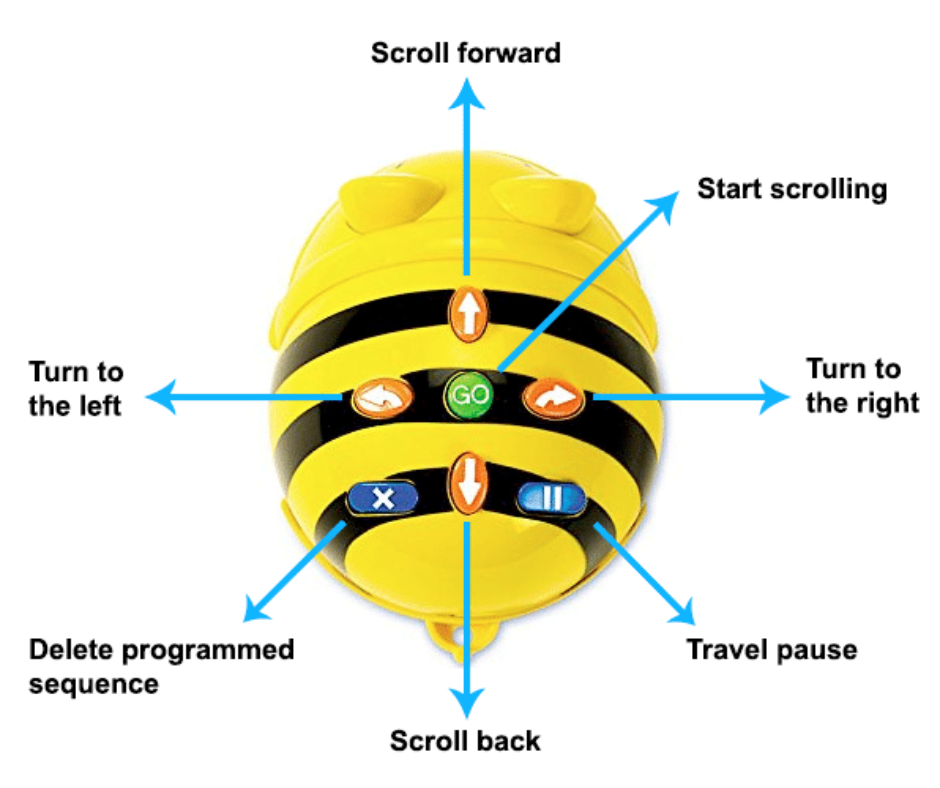
Begin by gathering your students in a circle. Show them a Bee-Bot and explain its parts. Focus particularly on the forward and backward buttons, emphasising how each button corresponds to a specific movement.
Explain that the Bee-Bot will be moving to different numbers on this line, and they will learn how to give instructions to make the Bee-Bot move correctly.
Place the Bee-Bot at the starting number, such as 0, on the number line. Demonstrate how to make the Bee-Bot move forward by pressing the forward button twice and pressing the 'Go' button, moving the Bee-Bot to the number 2.
Then, demonstrate how to make the Bee-Bot move backward by pressing the backward button once, moving the Bee-Bot to the previous number.
Invite a few students to come forward and try giving the Bee-Bot commands. Start with simple instructions, such as moving forward two steps or backward one step.
Make sure they clear the code before giving new commands.
An essential concept we want to reinforce with the students is the idea of "clearing the code." The Bee-Bot has a great memory and will remember any instructions previously given to it. To ensure that the Bee-Bot only follows the new instructions, it's important to clear any prior commands.
Teach the students that before entering new directions, they must press the "X" button on the Bee-Bot.
Divide the students into small groups and provide each group with a Bee-Bot and a number mat line. If you don't have enough mats we have included some more variations of printable cards in this step that will help you create your own, or you can use our designer tool here.
Instruct each group to practice moving the Bee-Bot to different numbers on the line by using the forward and backward buttons (check teacher notes for some ideas). Some students might also try and use the rotate buttons, these are covered in subsequent lessons but there's no harm in letting the students explore!
Every lesson in the course is ready to teach like this one. See what else comes with it, and how to order it.