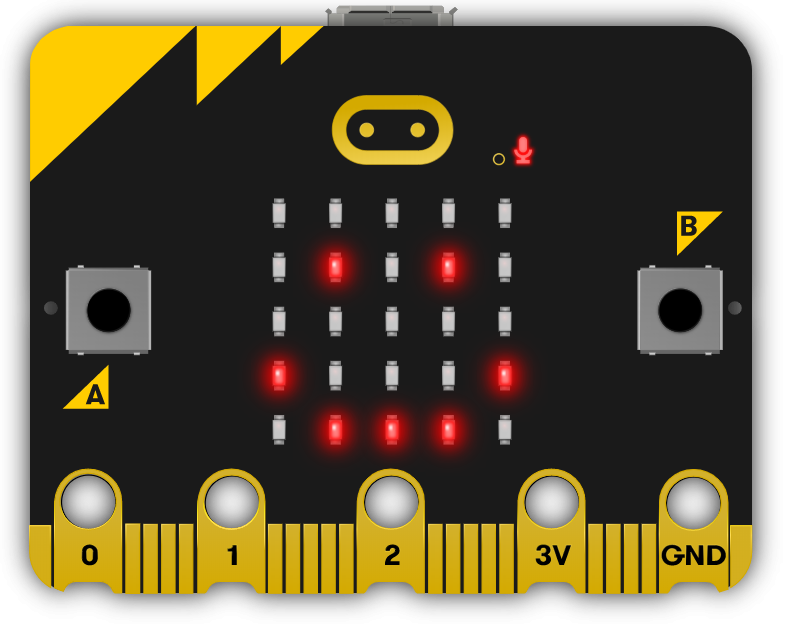
This module explores the exciting world of electronics and light, using Microbit and LED strips. Teachers will guide students through creating colourful displays, sound-activated lights, visual thermometers, and even a precision game. The module encourages creativity, problem-solving, and teamwork, with students brainstorming and implementing their own Microbit projects. Teachers should ensure students understand each step and concept before progressing, and provide assistance during the project creation stages.
Read more

Explore the Course

Click any lesson with to preview it

This module offers a comprehensive exploration of programming with Microbits, focusing on LED strip projects. Students will learn to create diverse effects like rainbow patterns, temperature displays, and interactive games. Through hands-on lessons, they will develop coding skills, experiment with the Neopixel toolbox, and showcase creativity in individual and group activities.

Microbit LED Strip Quiz Challenge
Microbit LED Strip Thermometer Quiz Challenge
Shooting Stars Quiz Challenge
LED Flags Quiz Challenge
LED Stacking Quiz Challenge
LED Strip Precision Game Quiz Challenge
Microbit Lab

This module offers a comprehensive exploration of programming with Microbits, focusing on LED strip projects. Students will learn to create diverse effects like rainbow patterns, temperature displays, and interactive games. Through hands-on lessons, they will develop coding skills, experiment with the Neopixel toolbox, and showcase creativity in individual and group activities.

Microbit LED Strip Quiz Challenge
Microbit LED Strip Thermometer Quiz Challenge
Shooting Stars Quiz Challenge
LED Flags Quiz Challenge
LED Stacking Quiz Challenge
LED Strip Precision Game Quiz Challenge
Microbit Lab

What Students Will Learn

Learning Goals

  1. Understand and apply the principles of programming LED strips using Microbit projects.
  2. Develop skills to create interactive LED displays that respond to sound and temperature changes.
  3. Design and implement a game using LED strip and Microbit programming.
  4. Enhance creativity and problem-solving skills through the design of LED flags and stacking effects.
  5. Apply teamwork and project management skills in brainstorming and executing a group Microbit project.

Learning Outcomes

  1. Programme a strip of LEDs to display colourful patterns using Microbit.
  2. Design and implement an LED Strip Clapper that responds to sound, specifically a clap, to turn on and off.
  3. Convert an LED strip into a visual thermometer that lights up and changes colour according to the current temperature.
  4. Create a voice-activated 'Shooting Stars' display using an LED strip and Microbit.
  5. Design and code tricolour flags using LED strips.
  6. Create a stacking effect on an LED strip, controlled by Microbit, with the ability to increase and decrease the size of the stack.
  7. Develop an LED Strip Precision Game that involves timing and accuracy.
  8. Brainstorm, design, and implement a simple Microbit project in a team, demonstrating creativity and teamwork.

What You'll Need

Student Devices

Students will need one of these devices. Students can share in groups of 2-3 if necessary.

Chromebook/Laptop/PC
Required Equipment

Equipment used in some of the lessons in this course. Items can be shared among students.

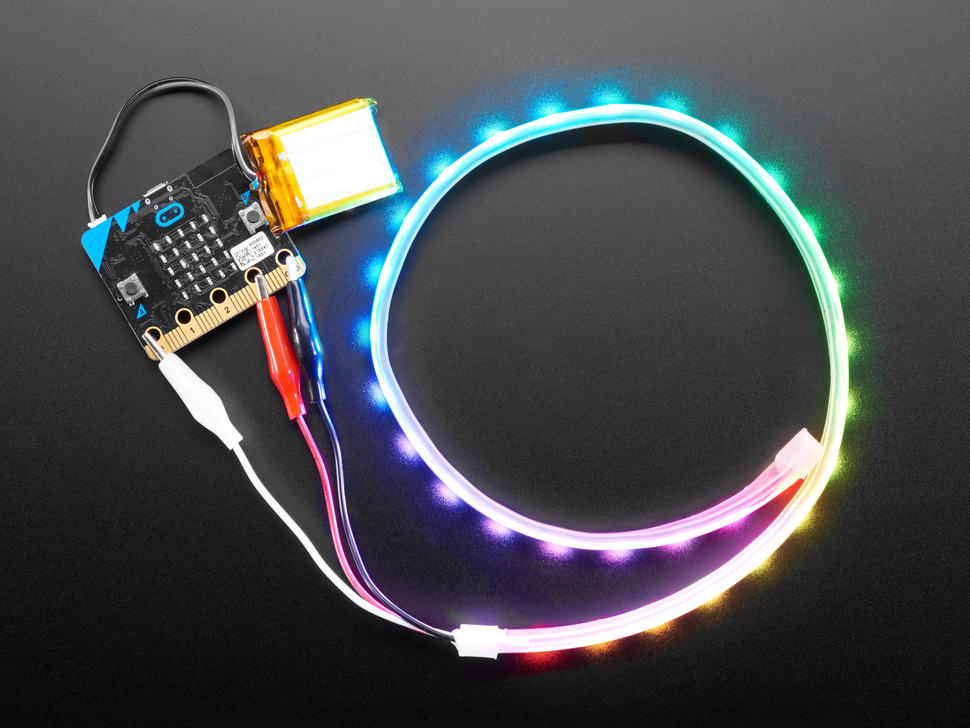
LED Strip with crocodile clips
Microbit
Microbit

Build a full TY year around Exploring Electronics and Light

This module is one of 7 Transition Year modules you can combine into a complete Year-Long TY Digital Skills Programme, shaped around your timetable and the students in front of you.

Run the same pathway for every student, or set different pathways for different groups. Students also get access to the modules they're not doing in class, which is ideal for the keen ones who finish early or want to explore further on their own time.

Prefer a deeper tech focus? Swap in Advanced Coding or Robotics and Automation. Each module is 10 to 15 lessons of 40-60 minutes, leaving room for school events, mid-terms and everything else TY throws at you.

Why TY coordinators choose it
One decision, a year's content
No more stitching resources together every term.
Flexible per class, per student
Run different pathways side by side.
Certificates after each module
Great for TY portfolios, open days and reports home.
Sets students up for Senior Cycle
Broad exposure so they choose subjects with confidence.
Sample Year Plan
ICT + Coding focus
  • Computer Skills
    Gets everyone on a level footing
  • Introduction to Coding
    Real, working projects from week one
  • Exploring Digital Media
    Video, design and storytelling
  • Exploring Artificial Intelligence
    The topic your students keep asking about
  • Enterprise and Business Basics
    A pitch-and-launch project to close out the year

Ready to bring this course to your school?

Get in touch to discuss pricing and ordering for your school.

Ready to get started?
Pricing & Ordering Contact Us
🍪 Our website uses cookies to make your browsing experience better. By using our website you agree to our use of cookies. Learn more