This course offers an engaging introduction to coding, guiding learners through fundamental concepts and practical applications. Explore the basics of programming, create interactive games and projects using Scratch, and develop skills in problem-solving and logical thinking. Ideal for beginners, it provides a solid foundation for further coding exploration.
The NCCA guidelines give teachers significant flexibility in delivering a coding short course, allowing them to tailor it to their school's context and students' needs. The Coding Ireland short course is designed for approximately 100 hours of student engagement, which can be scheduled over 1, 2, or 3 years within the Junior Cycle. Schools may adapt the course, including the Classroom-Based Assessment, to reflect specific learning priorities.

Click any lesson to preview it
This module offers an in-depth exploration of programming concepts through practical, hands-on projects using Microbit and web development tools. Students will develop skills in coding with JavaScript, Python, HTML, and CSS, creating games, alarm systems, and interactive web applications while mastering variables, loops, and conditional statements.
| Advanced Microbit Applications | |||
| Microbit Sensor Graphs | Quiz | Challenge | Beginner |
| Creating a Microbits Alarm System | Quiz | Challenge | Intermediate |
| Exactly 11 | Quiz | Challenge | Intermediate |
| Microbit Finder | Quiz | Challenge | Advanced |
| Chase the Dot | Quiz | Challenge | Advanced |
| Microbit - Invaders | Quiz | Challenge | Advanced |
| Coding with JavaScript | |||
| Introduction to JavaScript | Quiz | Challenge | Intermediate |
| JavaScript - Exactly 11 | Quiz | Challenge | Intermediate |
| JavaScript Variables | Quiz | Challenge | Intermediate |
| JavaScript Data Types | Quiz | Challenge | Intermediate |
| JavaScript Operators | Quiz | Challenge | Advanced |
| JavaScript Conditional Statements | Quiz | Challenge | Advanced |
| JavaScript Switch Statements | Quiz | Challenge | Advanced |
| Dynamic Web Design with HTML, CSS & JS | |||
| Overview of how HTML, CSS, and JavaScript Interact | Quiz | Beginner | |
| Setting up Essential Tools | Quiz | Challenge | Beginner |
| Scripting and DOM Manipulation | Quiz | Challenge | Intermediate |
| Dynamic Form Validation with JavaScript | Quiz | Challenge | Advanced |
| Integrating External Libraries and APIs | Quiz | Challenge | Advanced |
| Interactive Quiz Game | Quiz | Challenge | Advanced |
| Weather Web App | Quiz | Challenge | Advanced |
| Introduction to Python | |||
| An Introduction to Python | Quiz | Intermediate | |
| Mastering Variables | Quiz | Challenge | Intermediate |
| Looping Around | Quiz | Challenge | Intermediate |
| Making Decisions | Quiz | Challenge | Intermediate |
| Operators Decoded | Quiz | Challenge | Advanced |
| Array Essentials | Quiz | Challenge | Advanced |
| Advanced Array Tactics | Quiz | Challenge | Advanced |
| Function Junction | Quiz | Challenge | Advanced |
| Scope Showdown: Local vs. Global | Quiz | Challenge | Advanced |
This module introduces students to the process of creating coding projects through structured assessments. It covers planning, development, and presentation stages, guiding learners in brainstorming ideas, coding core features, and presenting their work. Emphasis is placed on creativity, problem-solving, and reflection to ensure a comprehensive learning experience.
| Putting the Pieces Together | Advanced |
This module offers an in-depth exploration of programming concepts through practical, hands-on projects using Microbit and web development tools. Students will develop skills in coding with JavaScript, Python, HTML, and CSS, creating games, alarm systems, and interactive web applications while mastering variables, loops, and conditional statements.
| Advanced Microbit Applications | |||
| Microbit Sensor Graphs | Quiz | Challenge | Beginner |
| Creating a Microbits Alarm System | Quiz | Challenge | Intermediate |
| Exactly 11 | Quiz | Challenge | Intermediate |
| Microbit Finder | Quiz | Challenge | Advanced |
| Chase the Dot | Quiz | Challenge | Advanced |
| Microbit - Invaders | Quiz | Challenge | Advanced |
| Coding with JavaScript | |||
| Introduction to JavaScript | Quiz | Challenge | Intermediate |
| JavaScript - Exactly 11 | Quiz | Challenge | Intermediate |
| JavaScript Variables | Quiz | Challenge | Intermediate |
| JavaScript Data Types | Quiz | Challenge | Intermediate |
| JavaScript Operators | Quiz | Challenge | Advanced |
| JavaScript Conditional Statements | Quiz | Challenge | Advanced |
| JavaScript Switch Statements | Quiz | Challenge | Advanced |
| Dynamic Web Design with HTML, CSS & JS | |||
| Overview of how HTML, CSS, and JavaScript Interact | Quiz | Beginner | |
| Setting up Essential Tools | Quiz | Challenge | Beginner |
| Scripting and DOM Manipulation | Quiz | Challenge | Intermediate |
| Dynamic Form Validation with JavaScript | Quiz | Challenge | Advanced |
| Integrating External Libraries and APIs | Quiz | Challenge | Advanced |
| Interactive Quiz Game | Quiz | Challenge | Advanced |
| Weather Web App | Quiz | Challenge | Advanced |
| Introduction to Python | |||
| An Introduction to Python | Quiz | Intermediate | |
| Mastering Variables | Quiz | Challenge | Intermediate |
| Looping Around | Quiz | Challenge | Intermediate |
| Making Decisions | Quiz | Challenge | Intermediate |
| Operators Decoded | Quiz | Challenge | Advanced |
| Array Essentials | Quiz | Challenge | Advanced |
| Advanced Array Tactics | Quiz | Challenge | Advanced |
| Function Junction | Quiz | Challenge | Advanced |
| Scope Showdown: Local vs. Global | Quiz | Challenge | Advanced |
This module introduces students to the process of creating coding projects through structured assessments. It covers planning, development, and presentation stages, guiding learners in brainstorming ideas, coding core features, and presenting their work. Emphasis is placed on creativity, problem-solving, and reflection to ensure a comprehensive learning experience.
| Putting the Pieces Together | Advanced |
See exactly how this course maps to official curriculum specifications
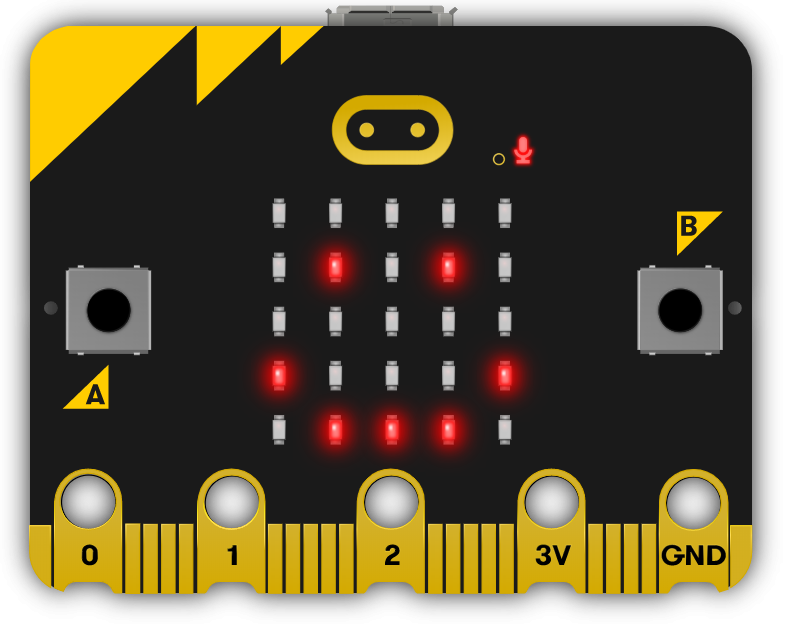
Students will need one of these devices. Students can share in groups of 2-3 if necessary.
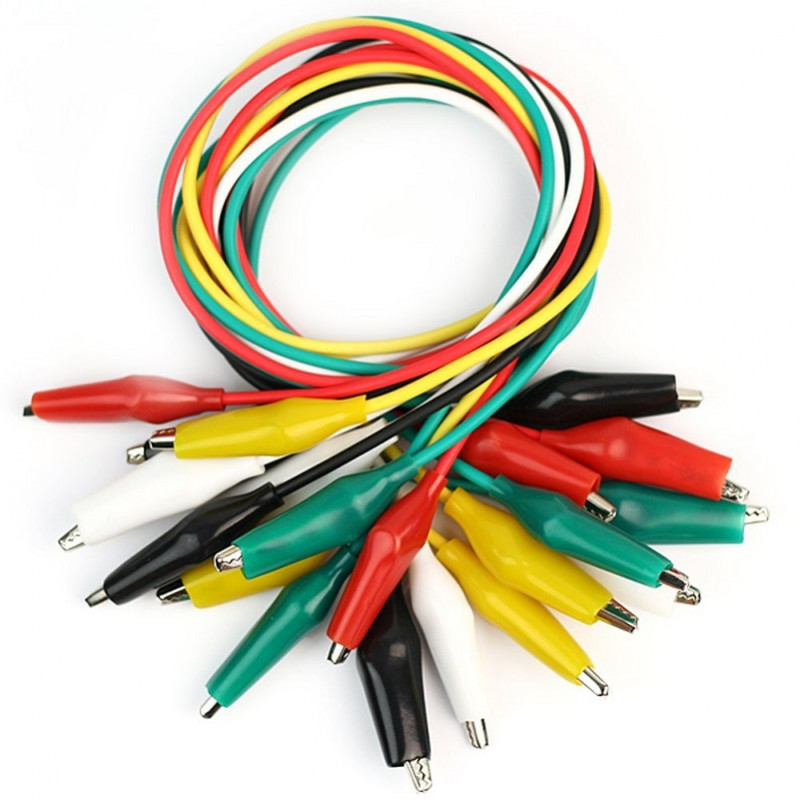
Equipment used in some of the lessons in this course. Items can be shared among students.
Get in touch to discuss pricing and ordering for your school.