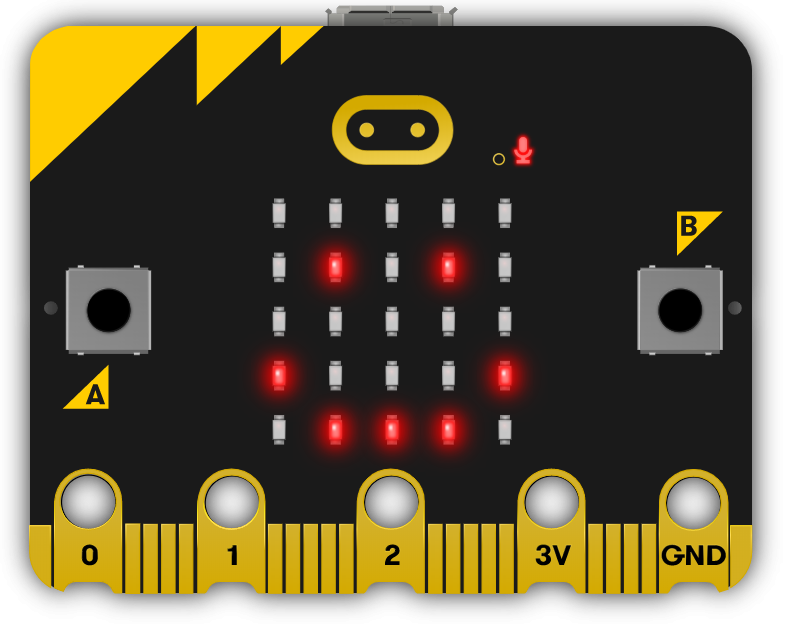
This module provides an introduction to Python programming, starting with basic syntax and the Microbit Python editor. Teachers should guide students through setting up their first project, creating a simple program, and introducing code sequence. The module progresses to cover variables, loops, conditional statements, operators, arrays, and functions. Each module includes a practical project to reinforce learning. The module culminates in a final project where students apply their skills to create a unique MicroPython project. Teachers should encourage experimentation and provide regular feedback.
Read more

Explore the Course

Click any lesson with to preview it

This module introduces the fundamentals of Python programming and its setup. It covers essential concepts such as syntax, variables, loops, conditional statements, and operators through practical lessons. Using the Micro:bit Python editor, learners will engage in hands-on projects like games and simulations to build a solid foundation in coding.

Getting Started with Python
An Introduction to Python Quiz
Mastering Variables Quiz Challenge
Control Flow Essentials
Looping Around Quiz Challenge
Making Decisions Quiz Challenge
Operators Decoded Quiz Challenge

This module provides a comprehensive exploration of fundamental programming concepts using MicroPython on the micro:bit platform. Students will learn the essentials of arrays, advanced list operations, procedures and functions, and variable scope. Through hands-on projects like creating LED patterns and temperature loggers, learners will apply theoretical knowledge practically.

Working with Lists
Array Essentials Quiz Challenge
Advanced Array Tactics Quiz Challenge
Functions and Variable Scope
Function Junction Quiz Challenge
Scope Showdown: Local vs. Global Quiz Challenge

This module guides students through the process of creating a unique MicroPython project using the Micro:bit. From conceptualising and planning to coding and presenting, learners will develop their ideas, overcome challenges, and reflect on their learning journey, supported by structured feedback and teacher guidance throughout.

Python Showcase

This module introduces the fundamentals of Python programming and its setup. It covers essential concepts such as syntax, variables, loops, conditional statements, and operators through practical lessons. Using the Micro:bit Python editor, learners will engage in hands-on projects like games and simulations to build a solid foundation in coding.

Getting Started with Python
An Introduction to Python Quiz
Mastering Variables Quiz Challenge
Control Flow Essentials
Looping Around Quiz Challenge
Making Decisions Quiz Challenge
Operators Decoded Quiz Challenge

This module provides a comprehensive exploration of fundamental programming concepts using MicroPython on the micro:bit platform. Students will learn the essentials of arrays, advanced list operations, procedures and functions, and variable scope. Through hands-on projects like creating LED patterns and temperature loggers, learners will apply theoretical knowledge practically.

Working with Lists
Array Essentials Quiz Challenge
Advanced Array Tactics Quiz Challenge
Functions and Variable Scope
Function Junction Quiz Challenge
Scope Showdown: Local vs. Global Quiz Challenge

This module guides students through the process of creating a unique MicroPython project using the Micro:bit. From conceptualising and planning to coding and presenting, learners will develop their ideas, overcome challenges, and reflect on their learning journey, supported by structured feedback and teacher guidance throughout.

Python Showcase

Curriculum Mapping

See exactly how this course maps to official curriculum specifications

Curriculum Area
Outcomes
Personal Growth
P.1 P.2 P.3 P.4 P.5 P.6 P.7 P.8 P.9 P.10 P.11
Being a Learner
B.1 B.2 B.3 B.4 B.5 B.6 B.7 B.8 B.9 B.10 B.11 B.12
Civic and Community Engagement
C.1 C.2 C.3 C.4 C.5 C.6 C.7 C.8 C.9 C.10 C.11
Career Exploration
C.1 C.2 C.3 C.4 C.5 C.6 C.7 C.8
Components
C.1 C.2 C.3 C.4 C.5

The curriculum does not include official reference codes for individual learning outcomes, so we have assigned a code scheme to make it easier to identify and track coverage.

What Students Will Learn

Learning Goals

  1. Understand and apply basic Python syntax and programming concepts using the Micro:bit Python editor.
  2. Master the use of variables, including declaration, assignment, and manipulation in Python.
  3. Comprehend and implement different types of loops and conditional statements in Python programming.
  4. Learn about and apply comparison operators, logical operators, and conditional Booleans in Python.
  5. Gain proficiency in working with arrays, including creating, manipulating, and applying advanced array tactics in Python.

Learning Outcomes

  1. Understand and apply basic Python syntax and use the Micro:bit Python editor to create simple programs.
  2. Declare, assign, and manipulate variables in Python, culminating in the creation of a higher or lower game.
  3. Understand and implement different types of loops in Python, including while loops, for loops, and nested loops, and apply these in a reaction time game.
  4. Use conditional statements in Python to make decisions in code and apply these concepts in a Dice Roller project.
  5. Understand and use comparison operators, logical operators, and conditional Booleans in Python, and apply these in a Temperature Indicator project.
  6. Work with arrays in Python, including creating, manipulating, and retrieving elements from a list, and apply these skills in an LED light pattern project.
  7. Perform advanced operations with arrays in Python, including sorting, finding the length of a list, and counting occurrences, and apply these in a strong password generator project.
  8. Understand the differences between procedures and functions in Python and apply this knowledge in a weather station project.
  9. Understand the distinctions between local and global variables, understand variable scope, and apply these concepts in a Micro:bit temperature logger project.
  10. Conceptualize, plan, and build a unique project using Python and the Micro:bit, applying all the skills and knowledge acquired throughout the course.

What You'll Need

Student Devices

Students will need one of these devices. Students can share in groups of 2-3 if necessary.

Chromebook/Laptop/PC
Required Equipment

Equipment used in some of the lessons in this course. Items can be shared among students.

Microbit
Microbit

Build a full TY year around Advanced Coding

This module is one of 7 Transition Year modules you can combine into a complete Year-Long TY Digital Skills Programme, shaped around your timetable and the students in front of you.

Run the same pathway for every student, or set different pathways for different groups. Students also get access to the modules they're not doing in class, which is ideal for the keen ones who finish early or want to explore further on their own time.

Prefer a deeper tech focus? Swap in Advanced Coding or Robotics and Automation. Each module is 10 lessons of 40-60 minutes, leaving room for school events, mid-terms and everything else TY throws at you.

Why TY coordinators choose it
One decision, a year's content
No more stitching resources together every term.
Flexible per class, per student
Run different pathways side by side.
Certificates after each module
Great for TY portfolios, open days and reports home.
Sets students up for Senior Cycle
Broad exposure so they choose subjects with confidence.
Sample Year Plan
ICT + Coding focus
  • Computer Skills
    Gets everyone on a level footing
  • Introduction to Coding
    Real, working projects from week one
  • Exploring Digital Media
    Video, design and storytelling
  • Exploring Artificial Intelligence
    The topic your students keep asking about
  • Enterprise and Business Basics
    A pitch-and-launch project to close out the year

Ready to bring this course to your school?

Get in touch to discuss pricing and ordering for your school.

Ready to get started?
Pricing & Ordering Contact Us
🍪 Our website uses cookies to make your browsing experience better. By using our website you agree to our use of cookies. Learn more