Microbit
Beginner
40 mins
Teacher/Student led
+85 XP

What you need:
Chromebook/Laptop/PC
Microbit

Sound level

In this step-by-step lesson, you'll create a new Microbit project and learn how to display the sound level as a graph using the built-in microphone. Then, you'll be challenged to turn your Microbit into a warning device that sounds an alarm when the noise level exceeds a certain limit.
Teacher Class Feed

Load previous activity

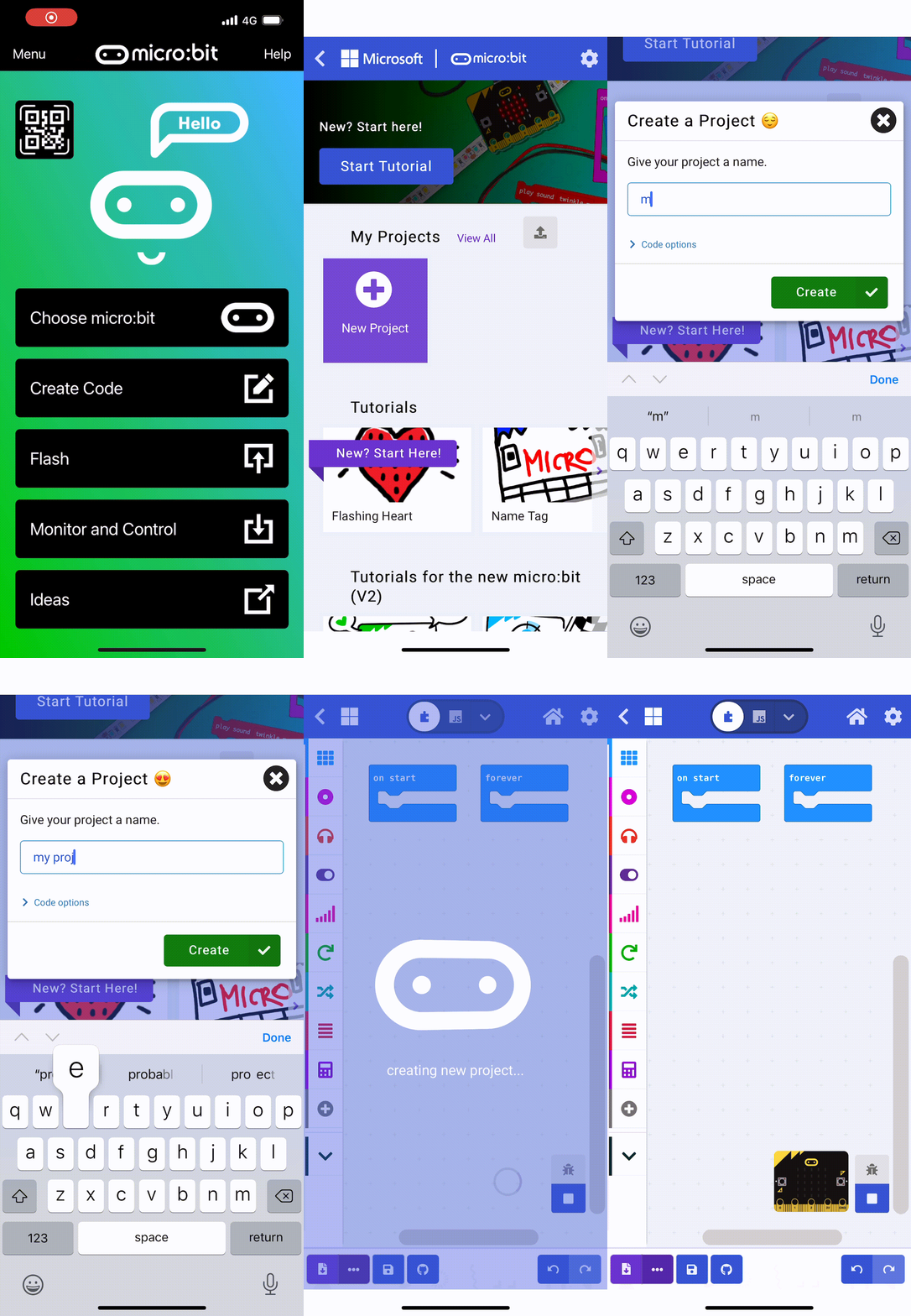
    1 - Create a new Microbit project

    Go to the makecode.com website and create a new Microbit project.

    2 - Show the sound level as a graph

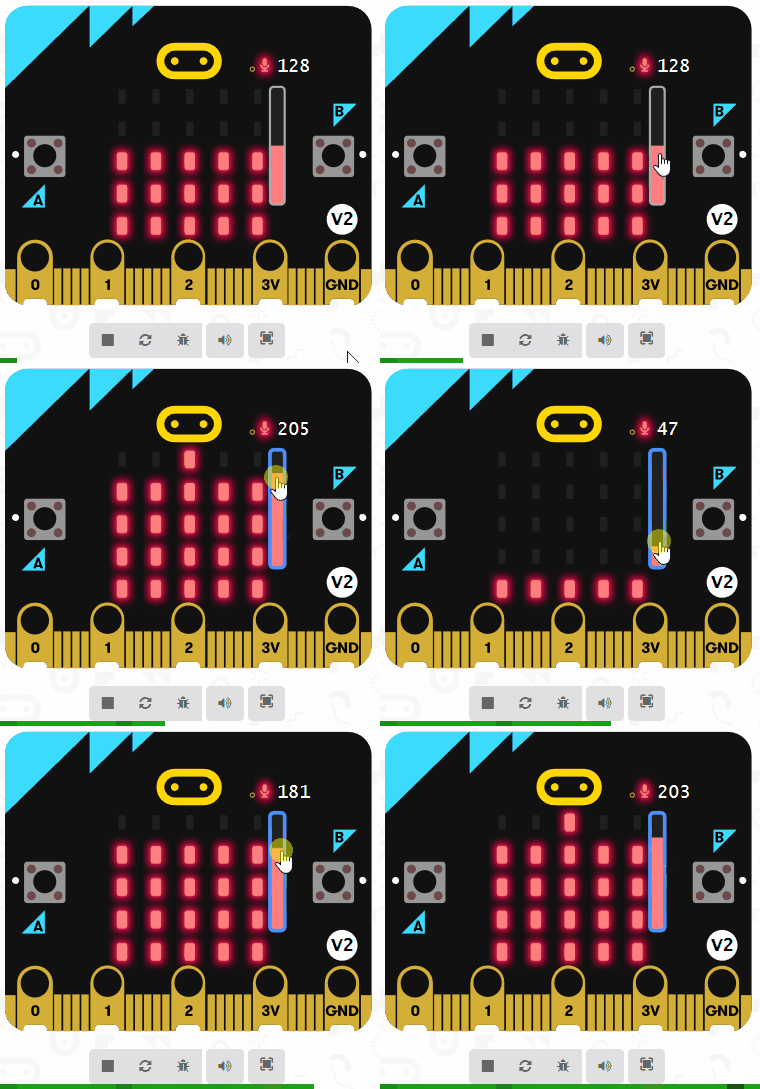
    Microbits (version 2) have a microphone built into them that can detect sound. The sound level that is detected by the microphone is stored in the sound level block. It stores a number between 0 (low sound) and 255 (loud sound).

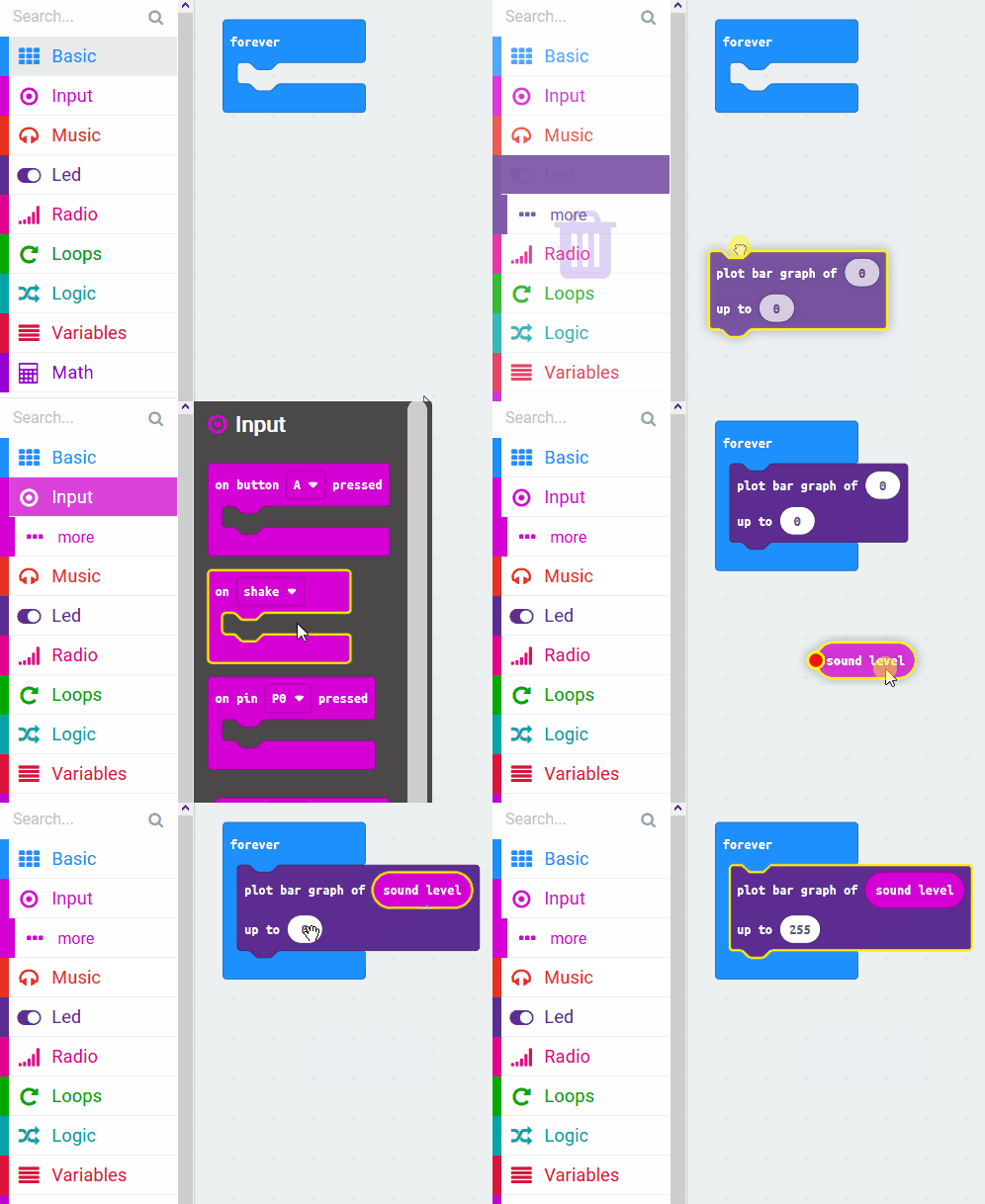
    Using the plot bar graph of 0 up to 0 block (from the Led toolbox), we can display a graph on the Microbit that shows the current level of sound that is being detected.

    Add the following code to your project.

    basic.forever(function () {
        led.plotBarGraph(
        input.soundLevel(),
        255
        )
    })


    A bar graph is a kind of chart that shows numbers as lines with different lengths.


    3 - Challenge!

    Do you want to turn your Microbit into a warning device that protects your room from unwanted visitors when you're not there?

    Use the sound level block to monitor the sound level and if it goes above a certain loudness then use the speaker in your Microbit to sound the alarm!

    Have a think about what code you will need to add and then try and code it.

    see answer

    basic.forever(function () {
        led.plotBarGraph(
        input.soundLevel(),
        255
        )
        if (input.soundLevel() >= 100) {
            for (let index = 0; index < 4; index++) {
                soundExpression.giggle.playUntilDone()
            }
        }
    })
    
    123learn · Online learning platform

    Unlock the full learning experience

    You're previewing this lesson. Get full access to this lesson and hundreds more — each one ready to teach, with interactive activities, printable resources and pupil progress tracking built in.

    Hundreds of curriculum-aligned lessons
    Interactive activities in every lesson
    Printable resources & progress tracking
    Copyright Notice
    This lesson is copyright of Coding Ireland 2017 - 2025. Unauthorised use, copying or distribution is not allowed.
    🍪 Our website uses cookies to make your browsing experience better. By using our website you agree to our use of cookies. Learn more