1 - Start: What We're Building ~5 mins
Last time we worked with code that repeated and made decisions. Today we're coding in Python and building a micro:bit weather station. You'll type in a temperature and the micro:bit shows a symbol for cold, moderate or hot.
We'll do it step by step at our devices: predict first, then build, run and fix. The big new idea today is the function — a named block of code you can reuse.
Set the scene briefly: we're building a weather station in Python today. Don't list the code — just name the goal and the PRIMM rhythm (predict, build, run, fix). Model the first step or two on the board, then have students work in pairs while you circulate.
2 - Predict Before You Run ~10 mins
Before anyone runs anything: look at what we're about to build. Commit to a prediction.
When the weather station runs with a temperature like 5, then 15, then 30 — what do you think the micro:bit will show each time? What will you see first? Tell your partner before we run it.
This is the PRIMM predict beat. Hold everyone back from running. Ask: what will show on the micro:bit for a cold, a moderate and a hot temperature? Collect two or three predictions and park them on the board to revisit at make-sense. Support: let unsure students simply predict 'something will appear' and refine later.
3 - Introduction ~3 mins
In this lesson, we'll explore the wonderful world of procedures and functions in Python programming. But first, let's clarify the difference between the two.
Imagine you have a toolbox. Some tools in this box, like a hammer, perform actions—they don't give you anything back after you've used them; they just do their job. In the programming world, these are similar to procedures. Procedures are blocks of code that execute a series of instructions but don't return any value once they've run.
On the other hand, other tools in your toolbox, like a measuring tape, provide you with a specific value or information after you've used them. These tools are akin to functions in programming. Functions, like the measuring tape, perform an action and then give you something in return— a value that you can use elsewhere in your program.

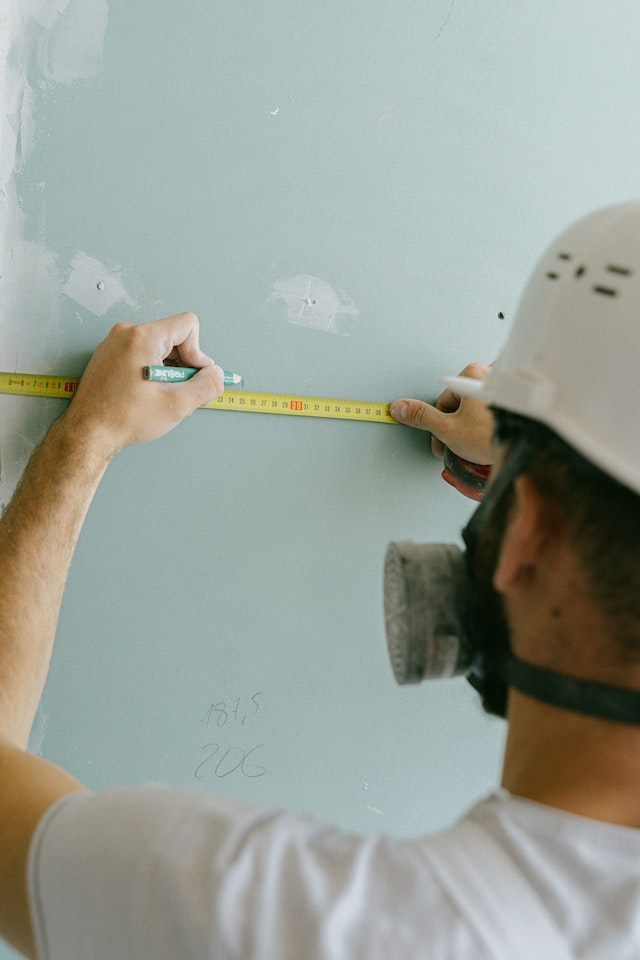
Introduce the toolbox analogy on the board — a hammer just acts (procedure), a measuring tape gives a value back (function). Key question: 'What's the difference between doing a job and giving something back?' Don't rush; this distinction underpins the whole lesson.
4 - Procedures ~3 mins
A procedure is a block of code that can be reused throughout a program. Think of it as a sequence of instructions bundled together under a common name. Unlike functions, procedures do not return values. They just perform an action.
Let's create a simple procedure using the micro:bit to display a smiley face:
from microbit import *

def show_smiley():
    display.show(Image.HAPPY)
    sleep(1000)
    display.clear()

show_smiley()
In the above code, show_smiley() is a procedure that shows a smiley face on the micro:bit's display for one second and then clears the screen. We define the procedure using the def keyword and call it by its name followed by parentheses ().
To create a new Python project for a Microbit, open the website python.microbit.org.
This will open the code editor with a new project. It might have some example code already added such as:
# Imports go at the top
from microbit import *

# Code in a 'while True:' loop repeats forever
while True:
    display.show(Image.HEART)
    sleep(1000)
    display.scroll('Hello')
You should delete this code except for the import line that you will need. This imports the necessary libraries you will need to code a microbit.
# Imports go at the top
from microbit import *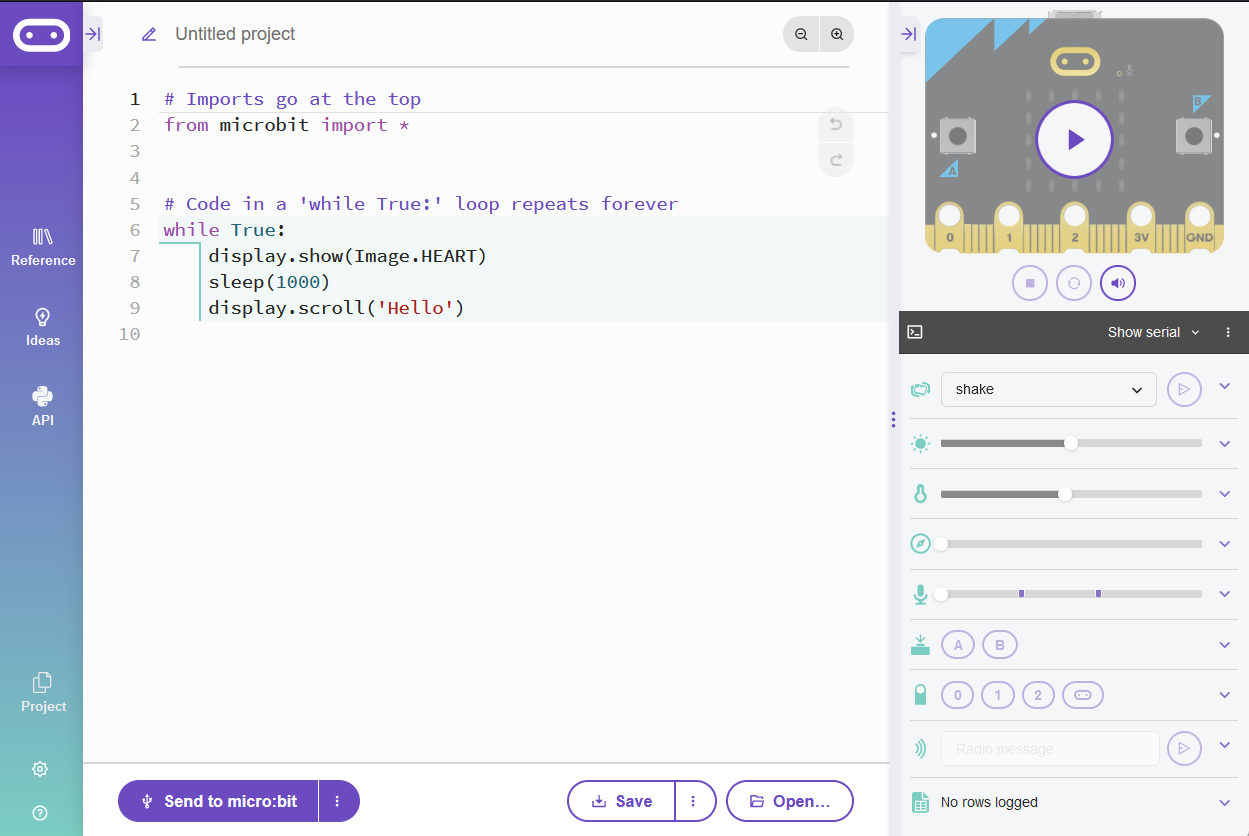
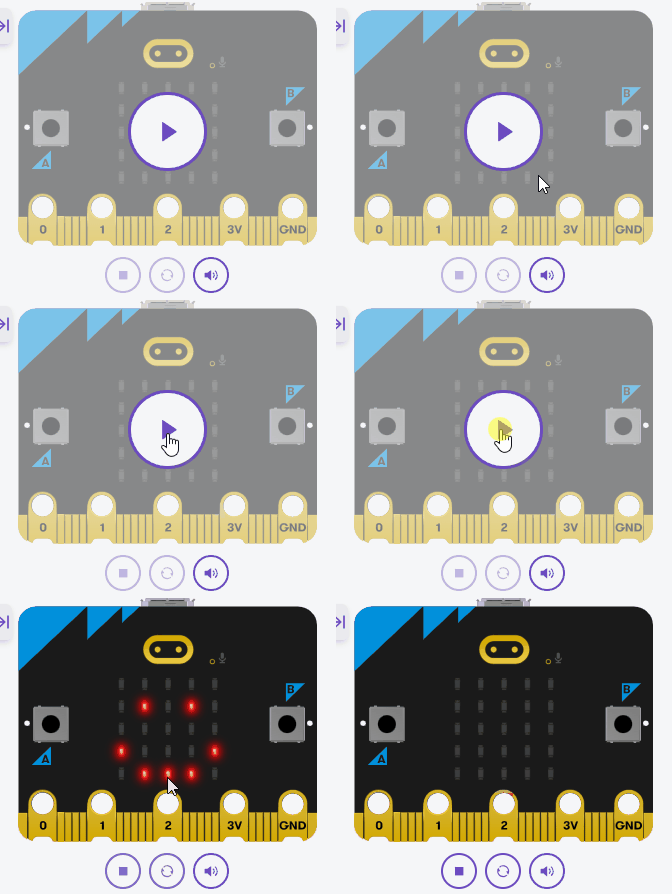
Model defining a procedure with <em>def</em> and then calling it by name. Watch for students who define <em>show_smiley</em> but never call it — nothing happens. Point out the indentation under the definition. Differentiation cue: have stronger students explain in their own words why it's a procedure (no value returned).
5 - Functions ~3 mins
While procedures perform actions, functions can return values. This allows them to be more flexible in many scenarios. Functions in Python are defined using the def keyword, similar to procedures.
Let's create a function that returns the square of a number:
from microbit import *

def square(number):
    return number * number

result = square(4)
display.scroll(str(result))
Here, the function square() calculates the square of the provided number and returns it. When we call the function with an argument of 4, the micro:bit will scroll the result, which is 16.
square() function and run your code again.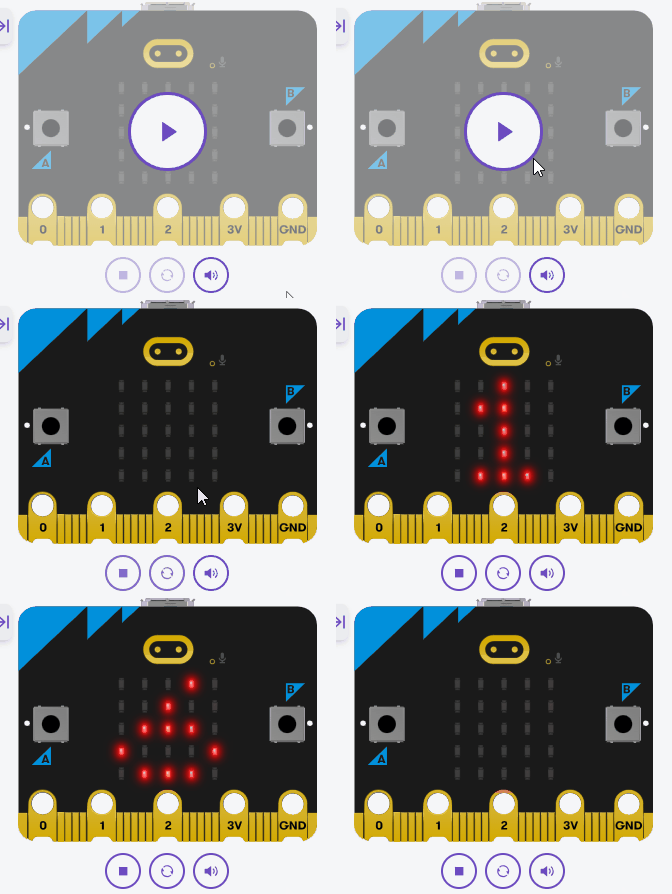
Show how a function <em>returns</em> a value and how that value is stored and then scrolled. Common bug: forgetting <em>str()</em> around the number before scrolling. Ask: 'What does square give back, and where does that value go?' Support students by relating it back to the measuring tape idea.
Unlock the full learning experience
You're previewing this lesson. Get full access to this lesson and hundreds more — each one ready to teach, with interactive activities, printable resources and pupil progress tracking built in.
This lesson is copyright of Coding Ireland 2017 - 2025. Unauthorised use, copying or distribution is not allowed.